Manga Typesetting
Manga typesetting is where a translation becomes a page: the right font in the right size, inside the bubble, in the direction the page needs. The Serifu app does the manga typesetting for every line, then lets you change each value by hand.
What is typesetting in manga?
In scanlation and in publishing, manga typesetting (or lettering) is the step after translation: the original text is cleaned from the page, then the translated text is set in its place. A typesetter picks a font for dialogue, another for narration and a display face for sound effects, fits each line inside its bubble without crowding it, breaks lines where the meaning breaks, and adds an outline where text sits on the art. Good manga typesetting is invisible: the page reads as if it had been drawn in your language.
Manga typesetting in the Serifu app
Manga typesetting done when the page is translated
Read and translate a volume, and manga typesetting happens as each page comes back: every line cleaned out of its bubble, set inside the bubble's own shape at a size that fits, in a font for its language and role. Text drawn on the art keeps its colours and its outline.
Every manga typesetting value is a control you can see
Select a line, and its manga typesetting is in the Lettering panel: font, weight and style, size, line or column spacing, letter spacing, direction, alignment, colour, outline and opacity. Drag the text box to move it, drag an edge to resize it, turn it from its handle. Nothing shapes the manga typesetting that you cannot see and change, and every change is one Undo away.
Shrink to fit, or fill the box
Size is the manga typesetting choice made most often. Shrink to fit the box makes a line that is too long smaller, down to what fits, and says the size it set. Fill the box sets the largest size that fits. With both off, a size you type stays, and a line too long for its box says so.
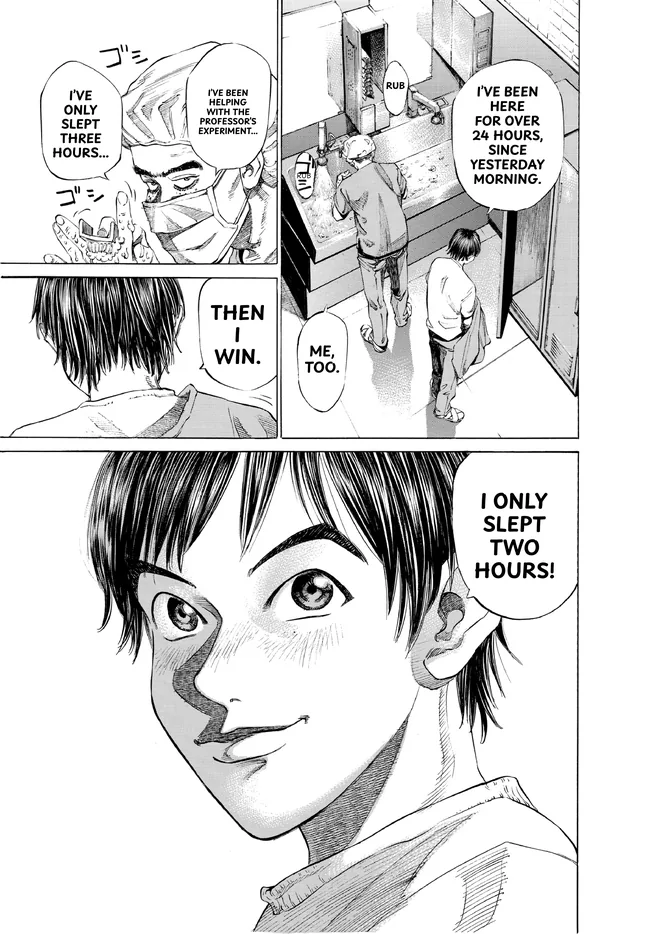
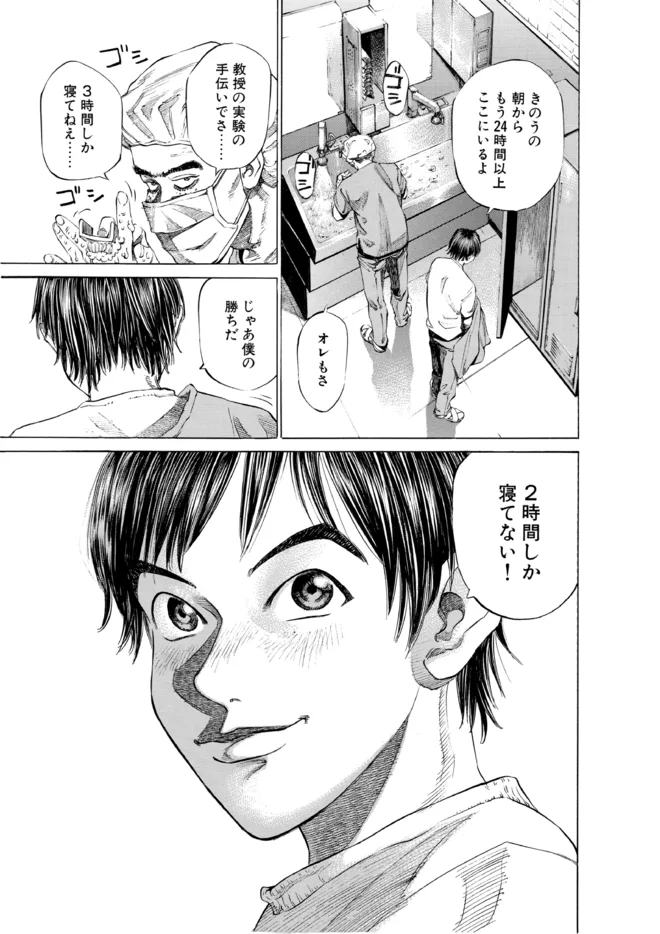 OriginalTranslated
Horizontal or vertical manga typesetting
English and Korean are set across; Chinese and Japanese can be set in vertical columns. Auto follows how the original was set and says what it chose. A caption can be set the other way in one click.
Text on the art: Retouch this page
A title, a sign or a sound effect drawn over the art is the hardest manga typesetting: it is not in a bubble. Retouch this page removes the original text, redraws the art behind it, and typesets the translation where it was, in its colours and size: 2 credits a block, the blocks you choose.
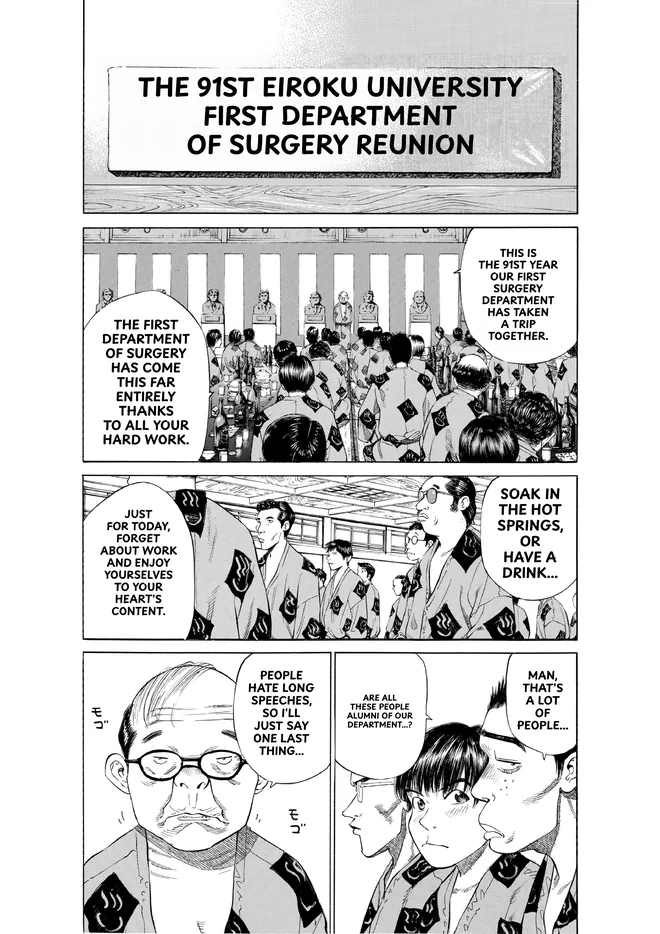
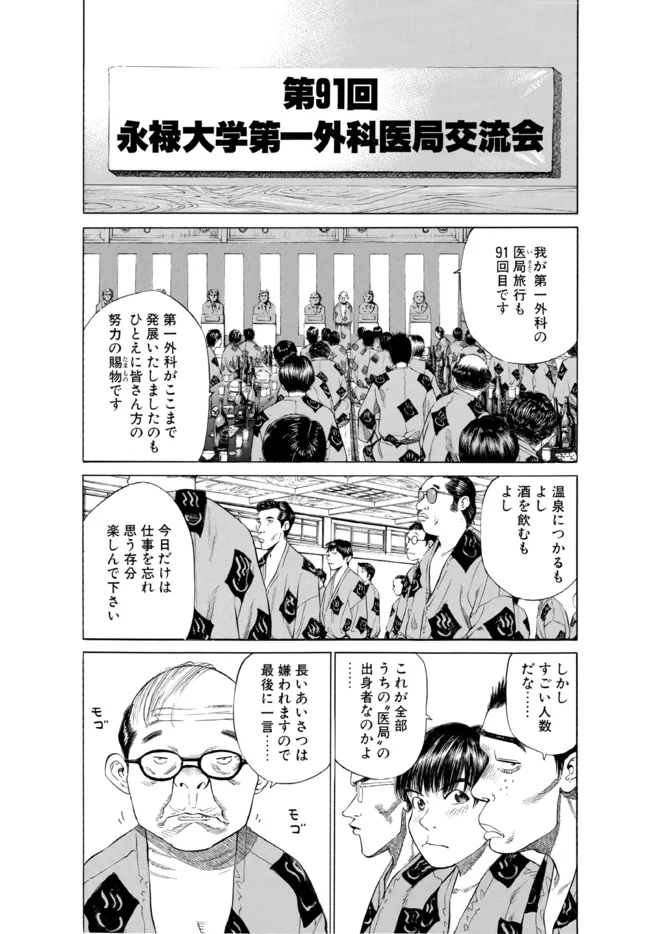 OriginalTranslated
Manga typesetting fonts
Which font is best for manga typesetting? One made for comics, in the language you letter, with the weights that hold up at small sizes. The Serifu app comes with 20 font families, 28 faces, all under the SIL Open Font License, so a page you letter with them is yours to share. They come for dialogue, narration and sound effects in each language Serifu letters. Serifu's manga typesetting picks one by language and role, and you change it line by line. Every font has every character of its language and looks the same on every computer.
How to do manga typesetting in Serifu
- 01
Read and translate the volume
Import a folder, CBZ, ZIP or PDF and run Read and translate N pages. Every page comes back with its manga typesetting done.
- 02
Fix the lines that need it
Most lines need no manga typesetting by hand. For the ones that do, click a line on the page. Type your own translation and Apply, or Re-translate this line; then change its manga typesetting in the panel. Select several lines to set them all at once.
- 03
Retouch what is drawn on the art
Pages marked To retouch have text on the art that needs cleaning before its manga typesetting. Retouch this page, untick the blocks to keep, confirm the price.
- 04
Export
PNG, CBZ or PDF to read and share; layered PSD to finish the manga typesetting in Photoshop, Clip Studio Paint or Krita: the clean page on one layer, every line a live text layer.
Manga typesetting rules
The manga typesetting rules Serifu follows, for anyone typesetting by hand too: match the original's weight and size before its face; keep the text inside the bubble's inner margin; break lines on meaning, not width alone; one font for dialogue, one for narration, a louder one for sound effects; outline text only where it sits on the art; keep a name in the same spelling on every page (Serifu's glossary does this across a volume).
Manga typesetting cost
Manga typesetting comes with reading and translating a page: 1 credit a page, nothing more per line. Changing a line's lettering, typing your own translation and exporting are free. Re-translate this line has the model's line price, asked first; Retouch this page is 2 bought credits a block. 5 pages are free when you sign up, and credit packs never expire.
Manga typesetting FAQ
What software is used for manga typesetting?
By hand, most typesetters use Photoshop, GIMP, Clip Studio Paint or Krita. The Serifu app does the manga typesetting for you as it translates, and its layered PSD opens in those tools when you want to finish by hand.
Is the Serifu app free?
The download is free, and so is every manga typesetting change. Reading and translating costs 1 credit a page; 5 pages are free when you sign up.
Does the manga typesetting work vertically?
Yes. Chinese and Japanese can be set in vertical columns; any line's direction can be changed.
Can I use manga typesetting on my own translation?
Yes, line by line: click a line, type the translation, Apply, and it is typeset in its bubble.
Why did manga typesetting give a line an outline?
It sits on the art or on a dark background, as the original did. Change the outline's colour or width, or choose None, in the Lettering panel.
Can I finish the manga typesetting in Photoshop?
Yes. Export layered PSD: every line is a live text layer with its font, size and colours, over the clean page.
Does manga typesetting work in the browser?
The browser letters every page and lets you change a line's translation; for manga typesetting by hand, fonts, sizes and retouching are in the app.