Manhwa Translator
Drop a chapter of Korean manhwa into the manhwa translator and read it in English, here in your browser. Webtoon strips and printed pages both work, and every balloon comes back translated and lettered.
Translate in your browser
- Folder
- CBZ
- ZIP
- PNG
- JPEG
- WebP
One volume at a time is translated here, kept in this browser. Fonts, sizes and retouching are in the app · Download Serifu
Try the manhwa translator: 5 pages free when you sign up· nothing to install
Manhwa translator example
Unedited output, as the manhwa translator returns it: a page of a Korean webtoon with its Hangul read in every balloon and caption box, translated with the pages before it, and lettered in English inside the same shapes.
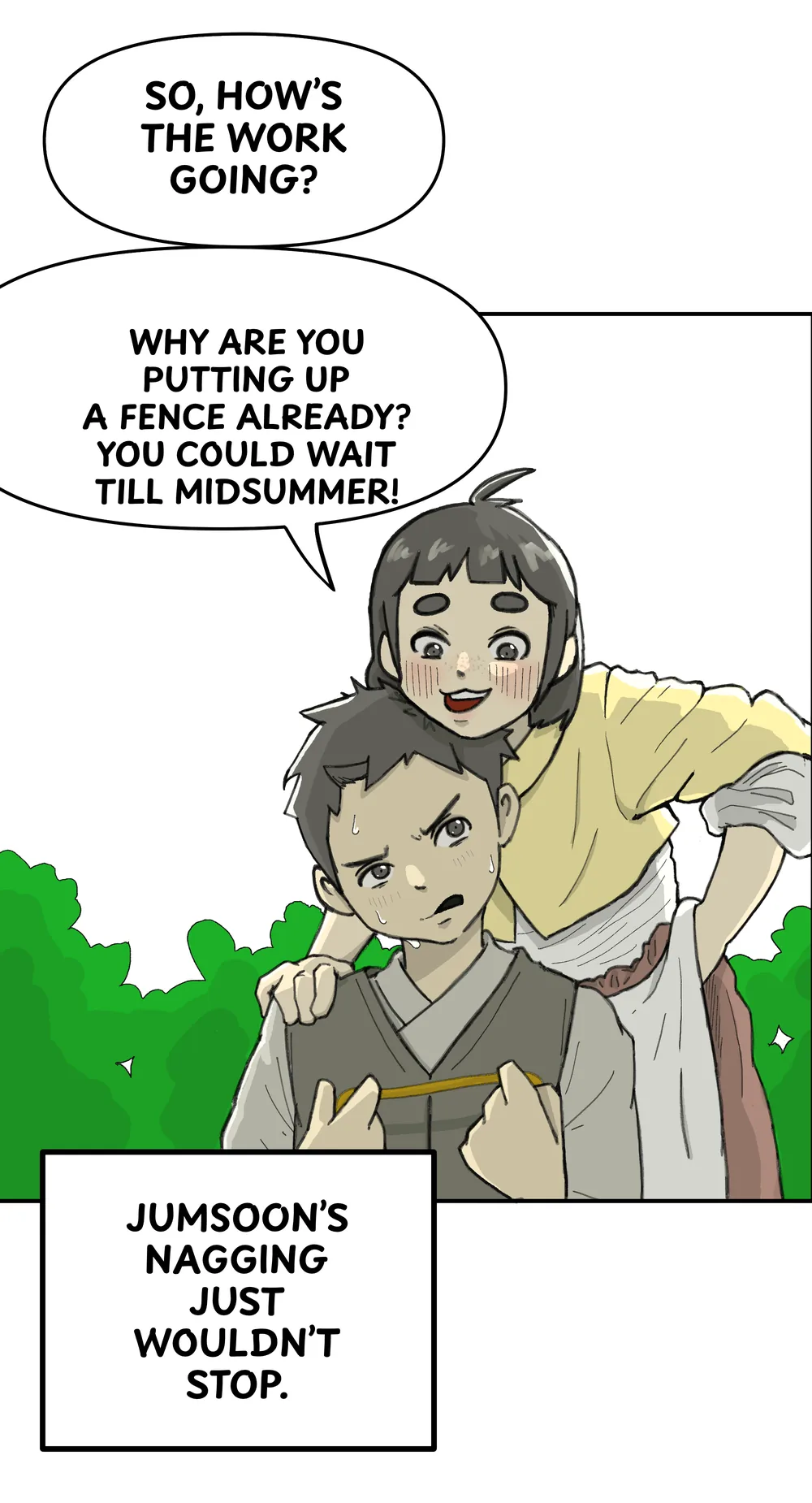
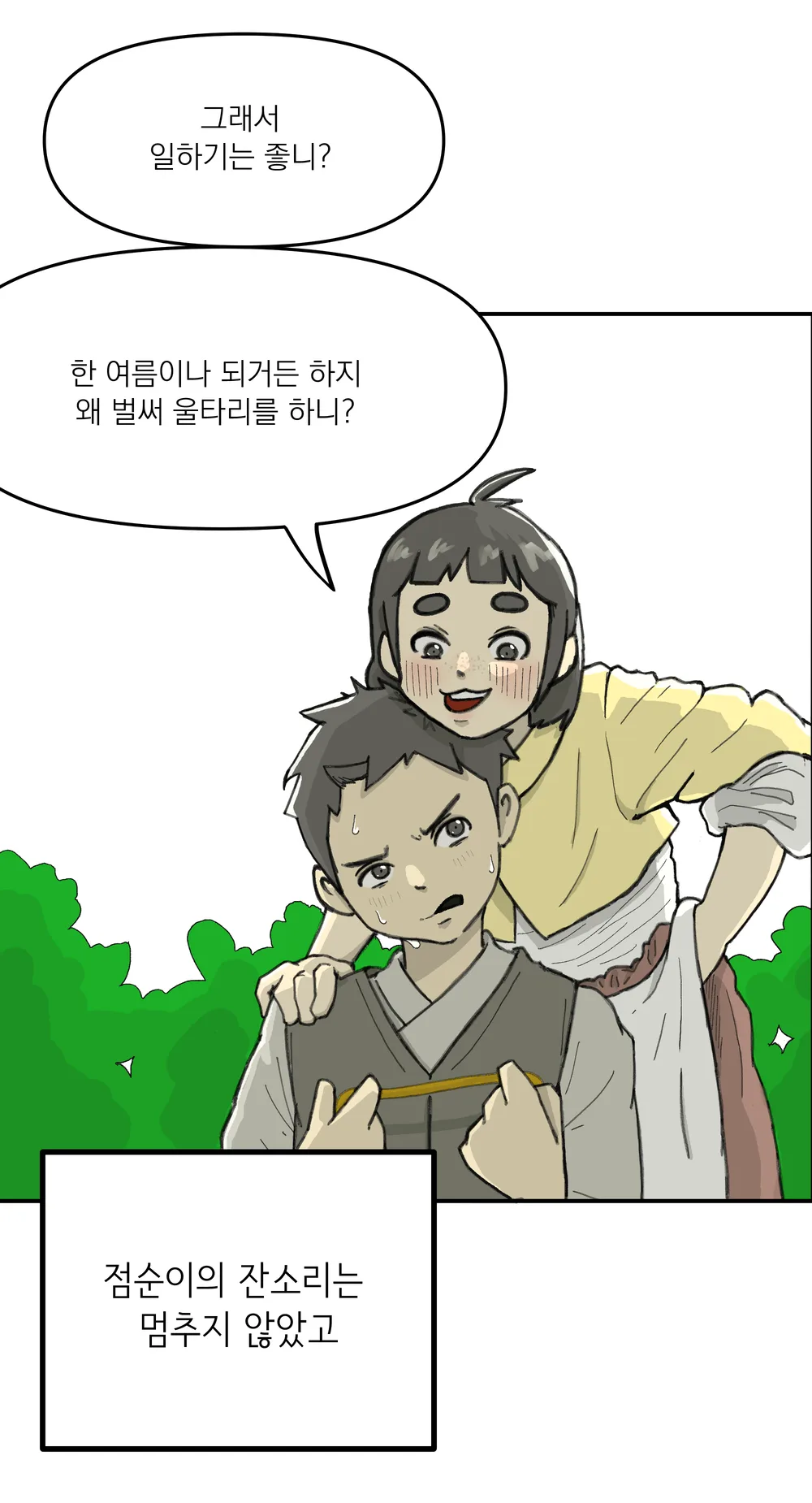 OriginalTranslated
Webtoon or pages: how the manhwa translator takes a chapter
Manhwa comes two ways, and the manhwa translator takes both. Choose one on the volume screen; nothing switches it for you.
Webtoon translator: one long strip
Most manhwa read online is a webtoon: one tall strip, saved as a single image or as the slices a site cut it into. Choose Webtoon: the manhwa translator joins the slices, cuts the strip at the blank space between panels into pages, and never splits a balloon. Export the chapter back as one long image or as the slices it came in.
Webtoon translatorManhwa as pages
Printed manhwa, scans and colour pages are a volume of pages, as manga is. Choose Pages, and the manhwa translator takes each image as a page, read left to right.
How to translate manhwa
Three steps with the manhwa translator, from the images you saved to a chapter you can read.
- 01
Drop the chapter into the manhwa translator
A folder of images, a CBZ or ZIP, a PDF, or the files themselves, in order. Choose Webtoon or Pages.
- 02
Check the pages and the price
The manhwa translator shows the pages it will translate and the price, 1 credit a page, before anything runs. A webtoon shows the pages its strip was cut into.
- 03
Read, then export
The manhwa translator sends pages back as they are done. Switch any page between Original and Translated, change a line or turn it off, then export the chapter as CBZ, PDF or images, or a webtoon as one long image or its slices.
Why use Serifu as your manhwa translator
A whole chapter at once
A manhwa chapter can run past a hundred slices. The manhwa translator takes every one of them in one go and translates them in reading order, top to bottom.
Names that stay the same
The manhwa translator reads each page with the two before it, so a character's name, the way they speak and who is talking stay right from the first page of a chapter to the last.
Lettered in the balloons
The manhwa translator cleans the Korean out of balloons, caption boxes and plain backgrounds and sets the English inside each shape in a comic face, sized to fit, so no Hangul shows behind it. Sound effects are translated too.
Nothing to install
The manhwa translator runs in a browser on a computer: no graphics card, no models to download, no API keys. Your chapters are kept in this browser until you remove them.
Manhwa translator pricing
The manhwa translator costs 1 credit a page. Credit packs never expire, and 5 pages are free when you sign up. A page with more text than 1 credit covers is set aside and its price asked first.
Edit the manhwa translator's output in the Serifu app
The Serifu app (macOS, Windows) is the same manhwa translator on your computer and adds what the browser does not: the font and size of any line, Retouch this page for text drawn on the art, a glossary of names kept across chapters, layered PSD.
Manhwa translator FAQ
Can the manhwa translator read a chapter from a link?
No. It works on the images you have: save the chapter, then drop the images here. It reads no links and adds nothing to other sites.
Should the manhwa translator use Webtoon or Pages?
Webtoon, if the chapter is one tall strip or slices of one; Pages, if every image is already a page. If long images are dropped as Pages, the manhwa translator says they may be a webtoon.
Does the manhwa translator translate sound effects?
Yes. Sound effects in balloons or on plain backgrounds are cleaned and lettered like any line; ones drawn into the art are translated over it, and the Serifu app can retouch them.
Can the manhwa translator translate into languages other than English?
Yes: choose the language on the volume screen before you start.
Where can I read an English translation of manhwa?
Translations are published by the series' licensed platforms. For a chapter you have the images of, the manhwa translator gives you a translation to read yourself.
What happens to my images?
They stay in this browser. Each page is sent to the manhwa translator to be read and translated and comes back; nothing is kept on serifu.net.
Which browsers work?
A current browser with WebGPU. If yours does not have it, the manhwa translator says so before you start.
Can the manhwa translator do a whole series?
One chapter at a time: each chapter you drop is kept in this browser as its own volume, with its pages and its translation, until you remove it. In the Serifu app, a glossary keeps names the same from chapter to chapter.
Is the manhwa translator free?
5 pages are free when you sign up; after that the manhwa translator costs 1 credit a page, from packs that never expire. There is no subscription.
Is translating manhwa legal?
Translating a chapter for your own reading is generally treated as personal use; sharing a translation of someone else's work needs its rights holder's permission.