Koharu Manga Translator: What It Needs, and How to Use It Without a GPU
Koharu is an open-source manga translator that runs its models on your own computer. What it does, what hardware it needs, how to install it, and how to get the same work done without a graphics card.
Serifu · · 4 min read
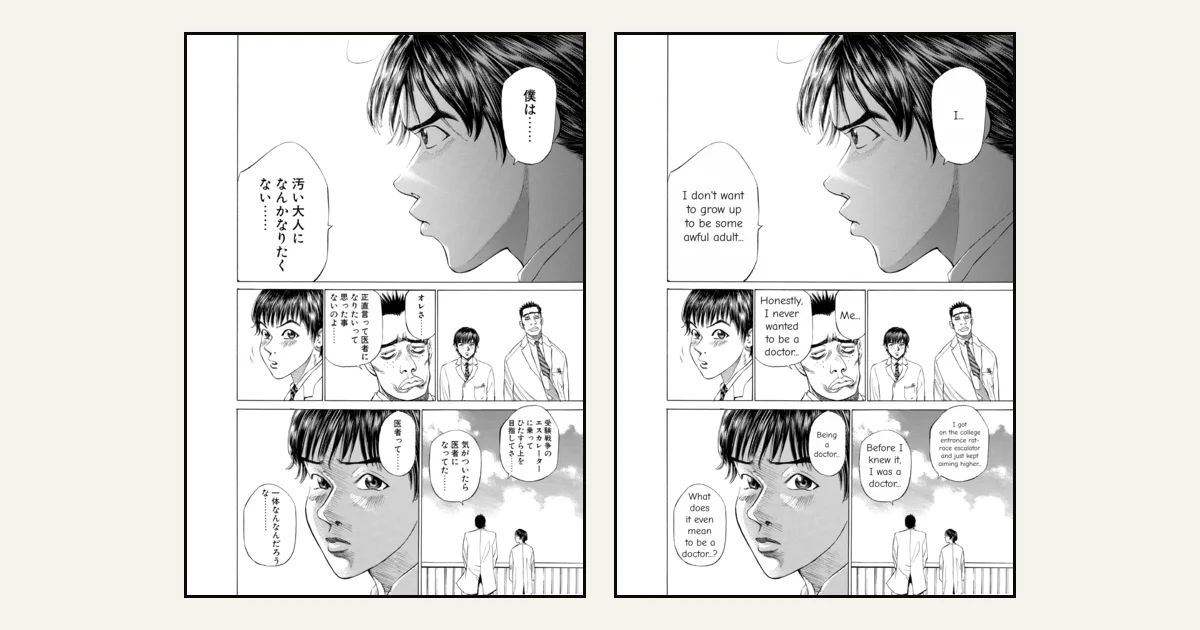
Koharu is an open-source manga translator: a desktop app that finds the text on a page, reads it, translates it, cleans the page and letters the translation, with an editor for every line. Its defining choice is that it "runs its vision models and LLMs locally", on your own computer. That makes it free and private, and it also decides what your computer needs. This post covers what the Koharu manga translator does, what it needs, how to install it, and how to do the same work without a graphics card.
Serifu is built on Koharu's open-source code. We are not affiliated with its authors; everything about Koharu below comes from its repository and documentation, checked on 4 October 2026.
What Koharu does
Koharu is written in Rust and runs on Windows, macOS and Linux. Its pipeline:
- Detection: finds bubbles and text on the page.
- OCR: reads the text, with a choice of OCR models for Japanese and other scripts.
- Inpainting: removes the original text and fills the art behind it.
- Translation: with a local model (GGUF files), a hosted LLM through your own API key (OpenAI, Gemini, Claude and others), or a machine translation service.
- Editor and typesetting: a canvas editor with automatic fitting, font fallback, vertical CJK and right-to-left text, and layered PSD export.
It opens PNG, JPEG and WebP pages, CBZ, ZIP and RAR archives, and PDF. It is dual-licensed under MIT or Apache-2.0.
The repository has moved to koharu-rs/koharu on GitHub.
What Koharu needs
Because the models run locally, the hardware matters:
- A graphics card is the intended path. Koharu supports NVIDIA GPUs through CUDA (Turing-class or newer, with a recent driver), AMD through ROCm, Apple silicon through Metal, and Vulkan.
- CPU works, slowly. The documentation says CPU inference is available but "substantially slower".
- Models are downloaded on first use, from Hugging Face, for each model you pick. Larger models need more download space and memory; smaller GGUF files need less.
- The editor needs WebGPU and a current graphics driver.
The installer itself is small (about 166 MB on Windows, 190 MB on macOS); the models come after.
How to install Koharu
- Download the installer from the project's GitHub releases, or use
winget install koharuon Windows orbrew install --cask koharuon macOS. - Open it and choose the models for each step. They download the first time each one runs.
- For translation, pick a local model, or add your own API key for a hosted one.
- Open a folder, archive or PDF and translate.
If your computer has a supported graphics card, this is a capable, free manga translator that keeps everything on your machine.
The same work without a GPU
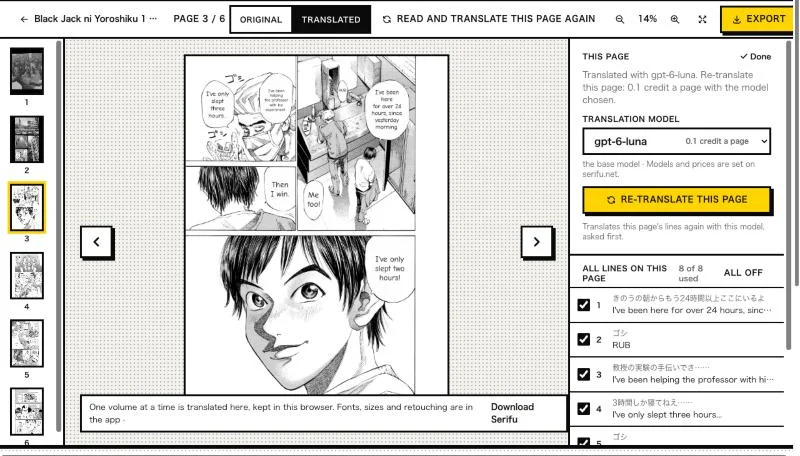
If your computer has no capable graphics card, or you would rather not download and manage models, Serifu does the same pipeline with the models on its servers.
- In your browser: drop a volume on serifu.net and each page comes back read, translated and lettered in its bubbles. Nothing to install, no API keys. See Translate in your browser.
- In the app (macOS and Windows): a project per volume, every line's lettering editable, a glossary and characters sent with every page, Retouch this page for text drawn on the art, and layered PSD export. See Install the app.
| Koharu | Serifu | |
|---|---|---|
| Where the models run | Your computer | Serifu's servers |
| Needs | A supported GPU (or a slow CPU), model downloads | A browser, or the app; an internet connection |
| Translation model | Your choice: local, or hosted with your API key | Serifu's choice of models, picked per project |
| Price | Free | 1 credit a page; 5 free pages to start |
| Source | Open source | Built on Koharu's open source |
FAQ
Is Koharu free?
Yes. It is open source (MIT or Apache-2.0). A hosted translation model through your own API key is paid to that provider.
Does Koharu need a GPU?
It is built for one: NVIDIA, AMD, Apple silicon or Vulkan. It can run on the CPU, but its documentation calls that substantially slower.
Is Serifu the same as Koharu?
No. Serifu is built on Koharu's open-source code and credits it on its Licenses page, but it is a separate product that runs the models on its own servers, and we are not affiliated with Koharu's authors.