Serifu on the iPhone: Manga Translated on the Phone
Serifu's iPhone app translates manga speech bubbles on the phone, free and without an account. What the paid option adds, and what the computer app still does.
Serifu · · 6 min read
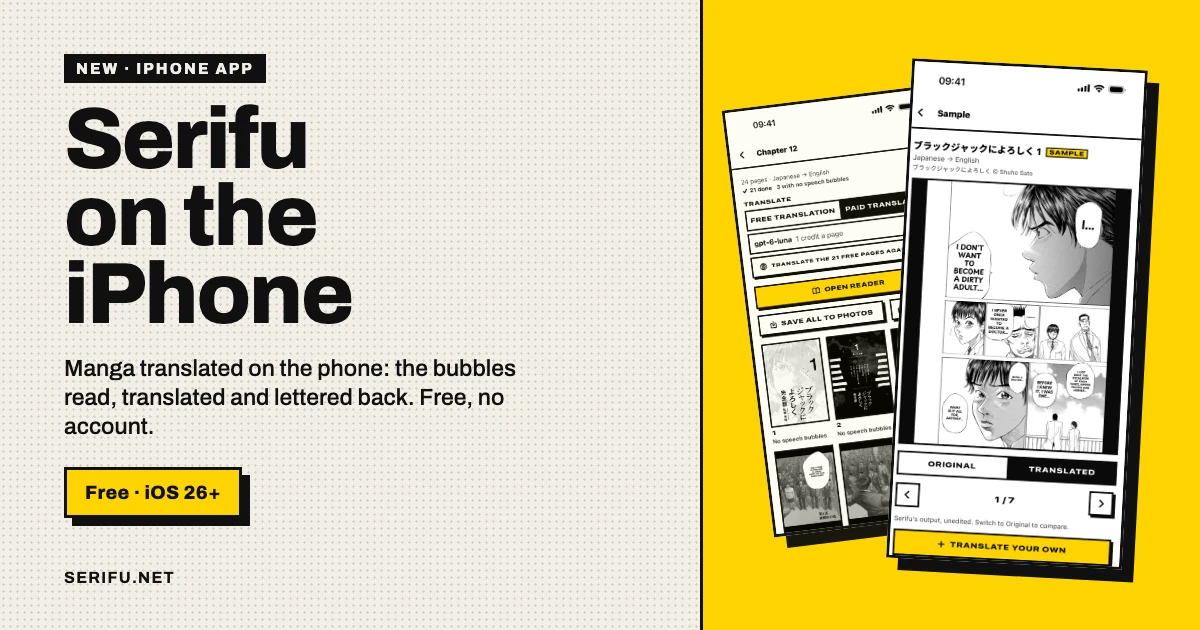
Serifu is on the iPhone. The app is Serifu: Manga in Your Language, it is free, and it does the work on the phone: it finds the speech bubbles on a page, reads the text, translates it into your language and letters the translation back into the bubbles. No account is needed, and nothing is uploaded. It runs on iOS 26 or later.
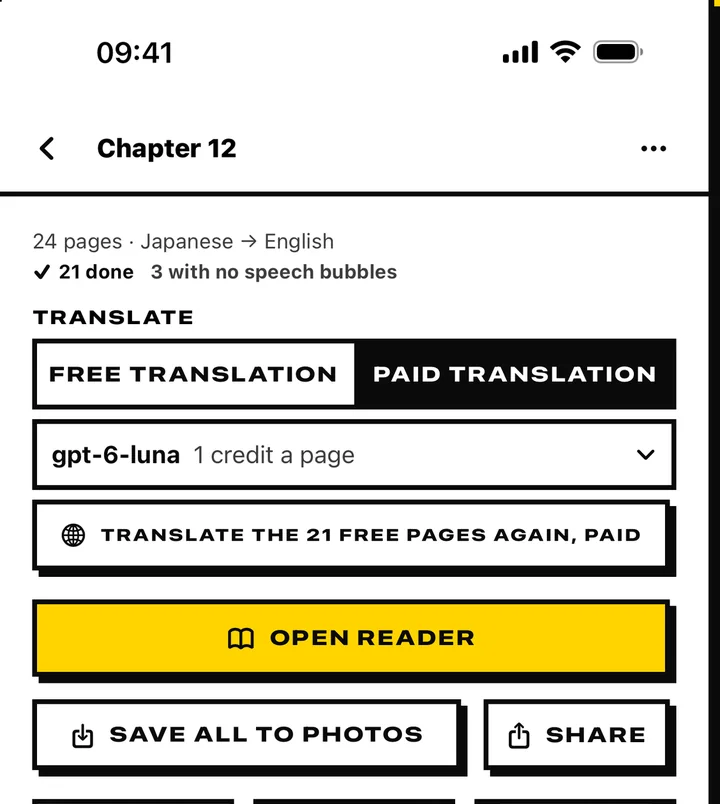
Paid translation is optional. On a page or a whole project, you can ask serifu.net to read and translate it again with the site's reading and the project's model, and pay by the page. The phone's own translation stays free and unlimited either way.
What the iOS app does
- Pages from where you keep them: photos from your library, or images, a folder, a PDF, a CBZ or a ZIP from Files.
- Five source languages: Japanese, Korean, Simplified Chinese, Traditional Chinese and English manga.
- Your language: by default the one the phone is set to, when Apple's translation has it; another language can be chosen. It asks once to download a language.
- A reader, not just a translation: a page fills the screen, and the rest is translated while you read.
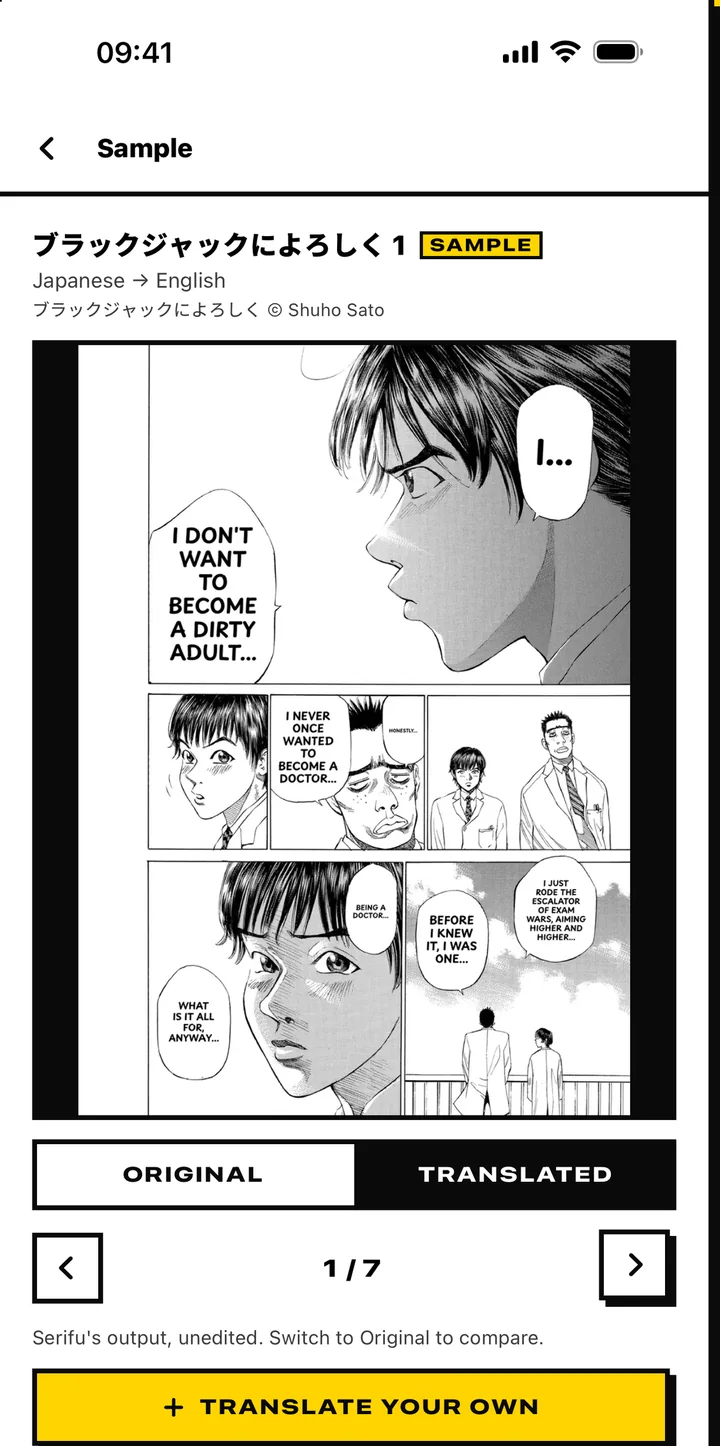
- A sample to try first: seven pages already translated, with the original to compare against, so you can see the output before you give it your own files.
How the phone translates a page
All four steps happen on the phone:
- The app finds the speech bubbles. Two small models, in the app, find the balloons and their text.
- The system reads the lettering. Apple's text recognition, the system's own OCR, reads the Japanese, Korean or Chinese text in each bubble.
- The system translates it. Apple's translation turns the text into the language you chose.
- The app letters it back in. Serifu cleans the original lettering out of the bubble and sets the translation inside the bubble's shape, in a font for that language.
There is no model to choose and no setting to change how it translates. On our iPhone 15 Pro Max, a 12-megapixel page took about 1.5 seconds; a slower phone will take longer.
The trade is context. The phone's translation sees the text of a line, not the page or the pages before it, and it does not know your names or your glossary. It carries the meaning well; a speaker, a pronoun or a name can still slip. That is the price of free, on-device and offline.
Free on the phone, paid translation
The app has two ways to translate, and they are separate on purpose.
| On the phone | Paid translation | |
|---|---|---|
| Cost | Free, unlimited pages | 1 credit a page with gpt-6-luna, 1.5 with gemini-3.8-flash, 3 with claude-opus-5-5 |
| Account | None | Your serifu.net account |
| Where it runs | On the iPhone | serifu.net |
| What is uploaded | Nothing | Only the pages you choose |
| What the translation sees | The text of the line | The page and the two pages before it |
| Languages | The system's translation | serifu.net's eleven |
| Model | Apple's translation | The project's model |
Choose the way for a project, or for the pages left in it. A project runs one way at a time; when you switch, the pages already done stay as they are, and the pages left go the new way. Only the pages you send are charged.
The same credits as the site. Sign in with Apple or Google, and the balance is the one you have on serifu.net. In the App Store the packs are $8.99, $34.99 and $89.99 for 100, 500 and 1,500 credits; on serifu.net the same packs are $5.99, $24.99 and $59.99, and a credit bought either way is spent the same. Apple takes 30% in the app, which the app's prices carry. Credits never expire, and a new account gets 5 free credits.
The reader
The reader is the part made for the phone, and the reason to use the app rather than a browser tab.
- A page fills the screen. Swipe to turn it, in the direction the pages are drawn: right to left for Japanese, left to right, or top to bottom.
- Hold for the original. The page as drawn shows while you hold it.
- Keep your place. It opens where you stopped, with bookmarks for the pages you want to come back to.
- Read while it works. Pages that are done can be read while the rest of the project is still translating.
- Keep the pages. Save them to Photos, or share them.
What the iOS app does not do
- Only the speech bubbles. Sound effects and text drawn on the art stay as drawn, as they do on serifu.net.
- No editor. Fixing a line, changing fonts, sizes and colours, and retouching text on the art are in the Mac and Windows app.
- No webtoon strips in this version. A long strip should be cut into pages first.
- No Android app yet.
For a volume you are lettering for other people, or one with text on the art, the computer app is still the one: it has the editor, the fonts, Retouch this page and layered PSD export. The iOS app is for reading.
Who it is for
If you read manga on your phone, in a language you are still learning or one you do not read at all, the iOS app is the simplest way to do it: free, no account, nothing uploaded, and a reader that fills the screen. If the free translation's context is not enough for a page, the paid option is one tap away.
FAQ
Is the iOS app free?
Yes. Translating on the phone is free and has no page limit, and it needs no account. Paid translation is optional.
Does it work offline?
Yes, once the language has been downloaded and the font for a language has been fetched. The reading and the translation are Apple's, on the device; nothing is sent. The first run of a language asks to download it.
Which languages does it read and translate into?
It reads Japanese, Korean, Simplified Chinese, Traditional Chinese and English. It translates into the phone's language when Apple's translation supports it, or into another language you choose. Paid translation uses serifu.net's eleven languages.
Does it upload my pages?
No, not for free translation. The page stays on the phone. Paid translation sends only the pages you choose to serifu.net, and they are not kept there after they are translated.
Can I translate a whole volume?
Yes. A project takes all the pages, the free run goes through them on the phone, and it goes on when you leave the app. Paid translation can run the pages left in the project, or a single page.
Does it translate sound effects?
No. It translates the text in speech bubbles. Sound effects and text on the art are translated by the Mac and Windows app; on serifu.net they stay as drawn.
What do I need?
An iPhone on iOS 26 or later. The app is 101.9 MB, free on the App Store.
Related reading
- How to translate manga: by hand, with a phone, or with an AI translator.
- Manga OCR: how the text is read from a page, and what to do when a bubble is missed.
- Koharu without a GPU: the open-source translator Serifu is built on.
- Translate in your browser: a whole volume on serifu.net, no install.