How to Translate Manga: By Hand, With Your Phone, or With an AI Manga Translator
How to translate manga into English or another language, step by step, with an AI manga translator in your browser, from a CBZ, ZIP or PDF to pages lettered in their bubbles. Plus what a human translator does, and whether it is free or legal.
Serifu · · 5 min read
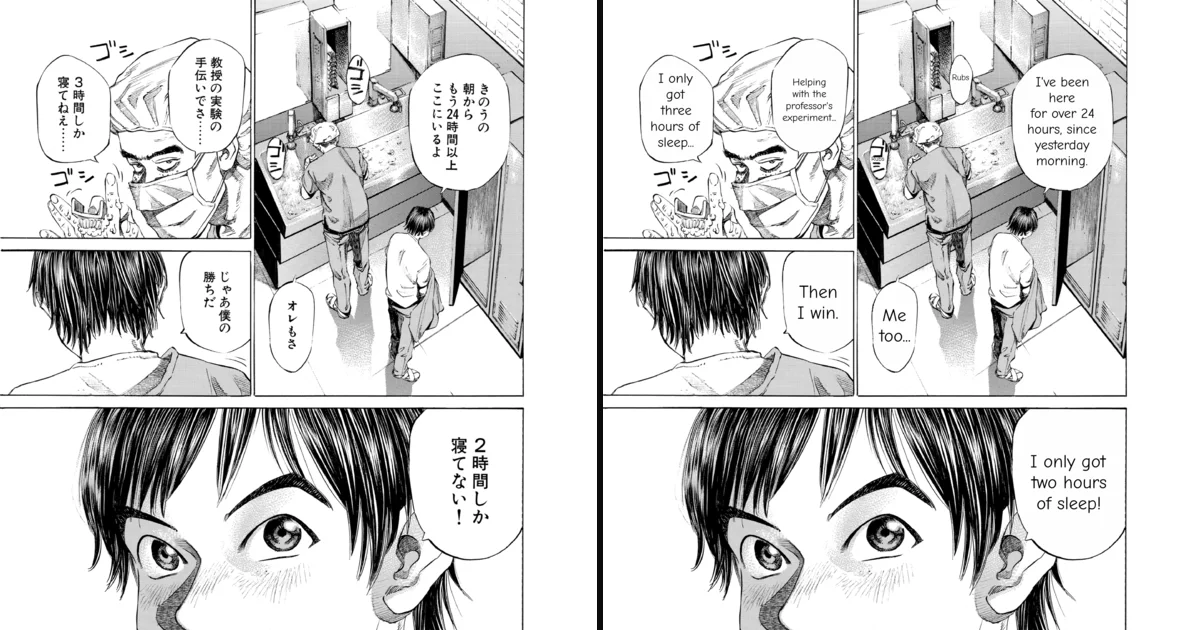
You have a raw manga, Japanese, Korean or Chinese, and you want to read it in English. There are three ways to translate manga, and they differ in how much work they ask of you and in what you end up with. This guide walks through each (for a comparison of the tools, see the best manga translator in 2026), then shows the fastest one step by step: an AI manga translator in your browser that gives the pages back translated and lettered in their bubbles.
Three ways to translate manga
| By hand | Phone camera (Google Lens) | AI manga translator | |
|---|---|---|---|
| What you get | Your own translation, as good as your Japanese | A translation laid over the photo | The page with its text removed and the translation lettered in each bubble |
| A whole volume | Days to weeks | Page by page, photo by photo | One run, while you do something else |
| Context | Yours | Each photo on its own | The page and the pages before it |
| Cost | Your time | Free | Usually a price per page; often a few free pages |
By hand
This is how professional and fan translators work. Roughly: read the chapter, draft a translation bubble by bubble, edit it for how people really talk, then clean the page (erase the original text) and typeset (letter the translation into the bubbles). It gives the best result and takes the most time and skill. If you are learning Japanese, it is also the best practice there is: see how to read manga in Japanese.
With your phone camera
Point Google Lens, or the camera in Google Translate, at a page and it lays a translation over the text. It is free and instant for a single page. It does not know what happened on the page before, so names and who-is-speaking drift, and the overlay covers the art rather than fitting the bubble.
With an AI manga translator
A manga translator finds every bubble on the page, reads it, translates the lines with the page as context, removes the original text and letters the translation in its place. You read the result like a translated volume. This is the way to translate a whole volume, and the one we walk through below.
How to translate manga with an AI manga translator, step by step
This uses Serifu's Translate in your browser: nothing to install, no graphics card, no API keys. The pictures are from a real run on six pages of the sample volume.
1. Drop in the volume
Open serifu.net and drop the volume onto the translator: a folder of pages, a CBZ, ZIP or PDF, or the page images themselves (PNG, JPEG, WebP). Pages are sorted by file name.
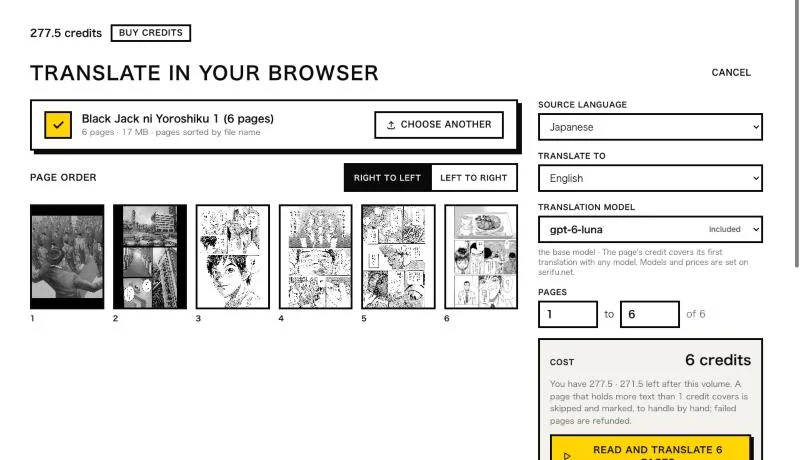
2. Choose the languages, the model and the pages
Check the reading direction (right to left for manga), pick the source language and the language to translate into, and the translation model. Pages X to Y lets you translate part of a long volume first. The cost is shown before anything starts: 1 credit a page, whichever model.
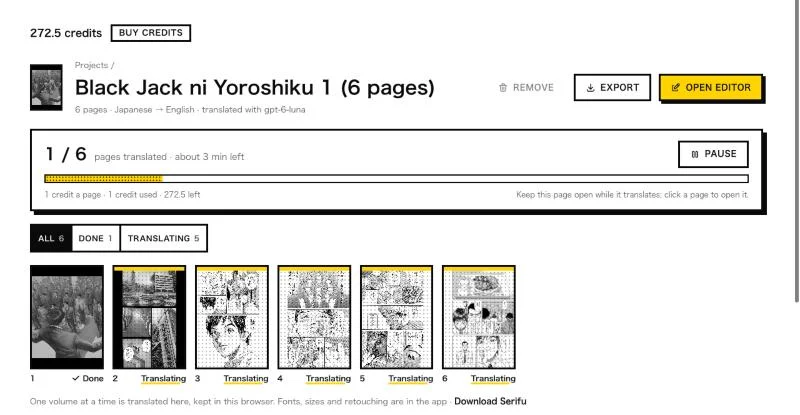
3. Translate
Click Read and translate. Each page is read, translated and lettered, and kept in your browser as soon as it is done, so you can start reading the first pages while the rest go on.
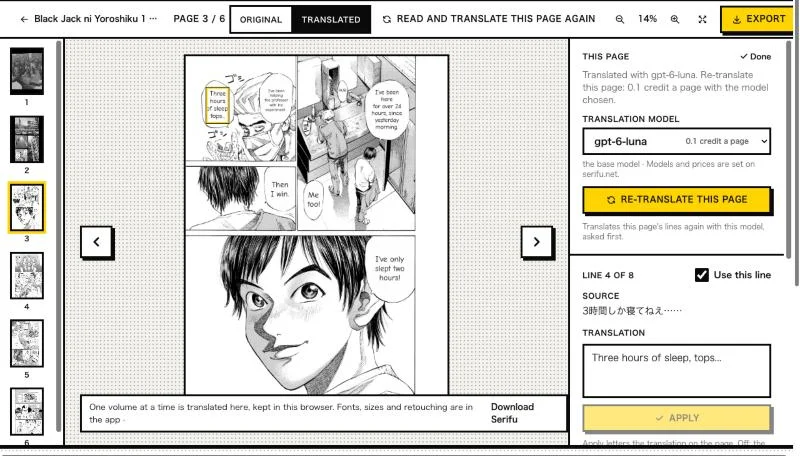
4. Read, and fix a line
Open a page. Original / Translated flips between the raw page and your translation. Click a bubble to select its line, type a better translation and click Apply: the bubble is lettered again in your browser.
5. Export
Export saves the volume as a CBZ for your reader app, a PDF, or images.
Translating a CBZ, ZIP or PDF
Most raw volumes come as a CBZ (a ZIP of page images with another extension), a ZIP or a PDF. Drop the file as it is: there is nothing to unpack. The pages come out in file-name order, so check the page order before you start if the files are named oddly. Export back to CBZ and open it in the same reader as before; your original file is not changed.
Keeping names the same across a volume
The weak point of machine translation is names: the same character spelled two ways, or a hospital that changes
its name halfway through. A manga translator that reads each page with the pages before it gets most of this
right. For a whole series, the Serifu app adds a glossary (永大 is always Eidai) and a list of
characters with their names and pronouns, sent with every page. See Glossary and
Story and characters.
When the text is drawn on the art
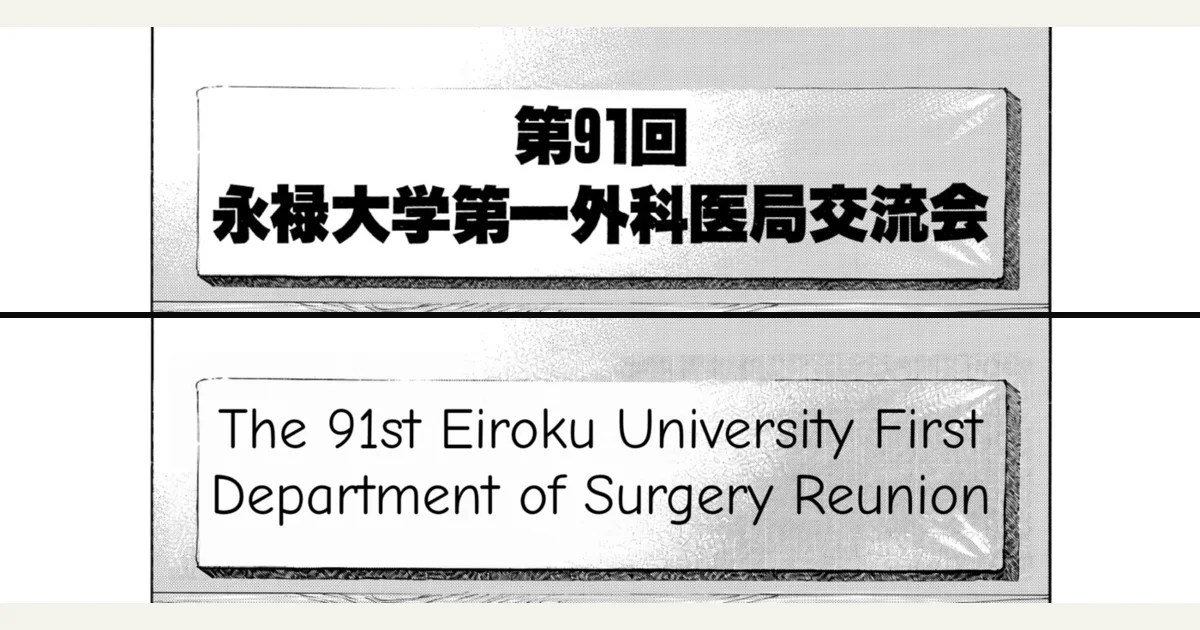
Speech bubbles are easy: the text sits on white. A sign, a title or a caption drawn over the picture is harder, because removing it means redrawing the art behind it. In the browser, the translation is lettered over such text. The app's Retouch this page removes it and letters the translation the way the original was drawn.
FAQ
Is there a free way to translate manga?
Google Lens is free for a page at a time. Open-source tools such as Koharu and BallonsTranslator are free; they run their models on your computer, best with a graphics card. Serifu gives 5 free pages when you sign up, then 1 credit a page.
How do I translate a manga into English?
Drop the volume into a manga translator, choose Japanese (or Korean, or Chinese) and English, and translate. The steps above take a few minutes for a chapter.
Is translating manga legal?
Translating a book you bought, for your own reading, is a different thing from sharing the translation: sharing copies of a translated manga without the publisher's permission infringes its copyright. Translate the books you own, and keep the result to yourself. This is not legal advice; the rules differ between countries.
How long does it take?
With an AI manga translator, a page takes about 30 to 60 seconds, and the browser works on several pages at once: a chapter in a few minutes, a volume while you do something else.