Sugoi Translator in 2026: What It Does for Manga, Tested on Nine Pages
Sugoi Translator in 2026: what Sugoi Toolkit and Sugoi Manga do for manga, and how Sugoi Manga did on nine test pages in Japanese, Chinese and Korean.
Serifu · · 9 min read
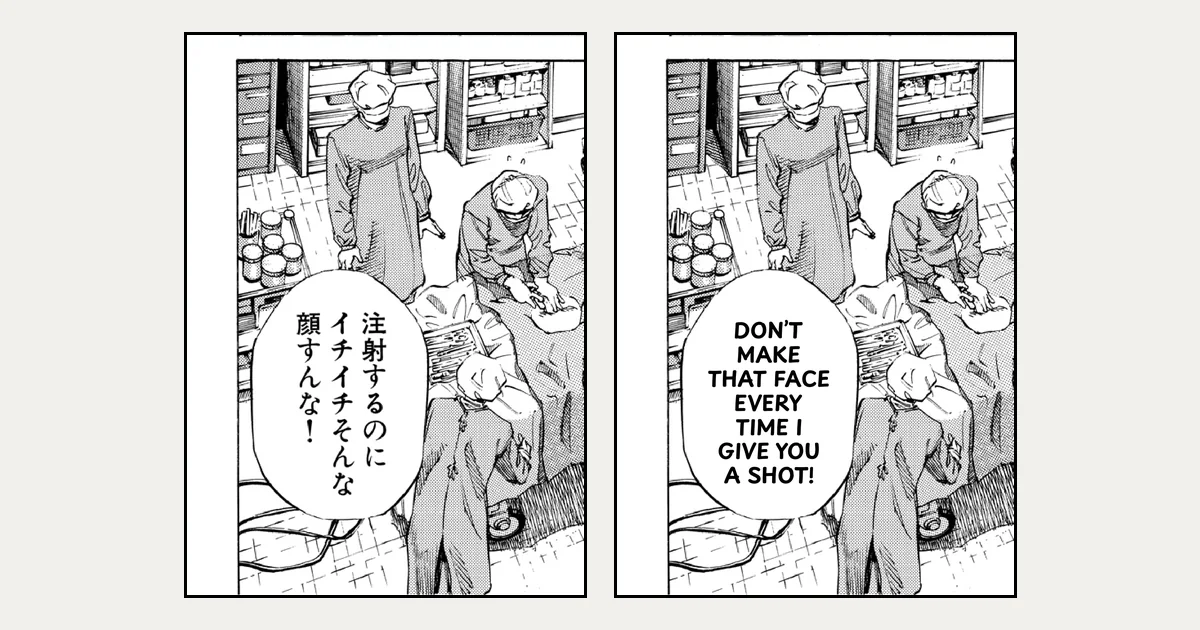
Sugoi Translator is a Japanese-to-English translator made by Minh Shiba, known for running offline and for being built around visual novels and games. In 2026 it is part of a larger family, Sugoi Toolkit, which now has manga tools of its own. This post covers what Sugoi Translator is, what it does for manga today and how to use it, then puts its online manga translator, Sugoi Manga, through nine test pages next to Serifu, the browser manga translator we make.
We are not affiliated with Sugoi or its author. What Sugoi offers comes from its own sites, its blog and its model page, checked on 9 October 2026; the test was run on sugoimanga.com the same day.
What Sugoi Translator is
The original Sugoi Japanese Translator was a desktop program that watched the clipboard: copy a line of Japanese from a game or a visual novel, and it showed the English, translated by DeepL or by its own offline model. Game translation tools such as Translator++ added it as an engine.
The author has since released a family of language models as well. On Hugging Face, Sugoi 14B Ultra is a fine-tune of Qwen2.5-14B for Japanese to English, "especially for game dialogue or RPG text", with about 15 billion parameters.
Sugoi Toolkit today
Sugoi Translator is now one part of Sugoi Toolkit. Its home page, sugoitoolkit.com, is a workspace behind one Sugoi account, with AI chat, translation of TXT and EPUB files, audiobooks and audio translation. It links to the programs:
- Sugoi Toolkit, the desktop bundle with the offline translator and its OCR.
- Sugoi Lens, which translates visual novels and JRPGs on screen.
- Sugoi Desktop, an app for Windows, macOS and Linux.
- Sugoi Manga, a manga translator in the browser and in browser extensions.
Downloads and coins come through a Patreon membership. The blog posts new versions for members first; the V25 post says its public link follows about a month later.
Sugoi Translator for manga
Manga is where Sugoi has grown most in 2026, according to its blog:
- Sugoi Toolkit V25 (1 July 2026) made its Japanese manga OCR about twice as fast and added offline Chinese manga OCR, so that, in the post's words, "all manga, manhua, manhwa, and comic can be translated locally".
- Sugoi Desktop V3 (24 June 2026) runs on Windows, macOS and Linux, is localized into ten interface languages and improved its manga typesetting.
- Sugoi Manga (sugoimanga.com) takes manga pages or archives dropped into the browser: JPG, PNG, WebP, ZIP and CBZ. Its Chrome and Firefox extensions translate manga images on the pages you read; version 10 added a read mode with an overlay and image download, and version 15 added Pixiv, cached translations, and a switch that sends the work to your own Sugoi Toolkit instead of Sugoi's servers.
How to use Sugoi Translator for manga
From Sugoi's own pages, there are three ways in:
- In the browser: open sugoimanga.com, sign in, and drop pages or a CBZ or ZIP. Translating uses coins from the membership.
- On manga sites: install the Sugoi Manga Translator extension for Chrome or Firefox and translate the images on the page as you read.
- Offline: download Sugoi Toolkit as a member, run it on your computer, and in the extension turn on "Use Local Server" so the pages are read and translated by your own machine.
We tested Sugoi Manga on nine pages
Each page was picked for something Sugoi says it does, and the right answer for each was written down before the run: Japanese dialogue, captions and a banner drawn on the art, a medical page, a scene whose patient is a woman, and a comic in Chinese and in Korean whose official English edition gives the answer. Sugoi Manga translated the pages into English with its defaults, signed in with a membership's coins; nothing was edited. Serifu's side is its own output of the same pages, unedited, from our earlier tests of each (the dates are below).
The pages: Give My Regards to Black Jack vol. 1 by Shuho Sato (free for secondary use), pages 6, 7, 17, 18, 19 and 146; Pepper&Carrot episode 6, page 6, by David Revoy (CC BY 4.0), in its Korean and Chinese editions; and a slice of the Korean webtoon 「동백꽃」 by 이호윤 (CC BY).
| What was checked | Sugoi Manga | Serifu |
|---|---|---|
| Japanese dialogue (pp. 6, 18) | Right and fluent | Right |
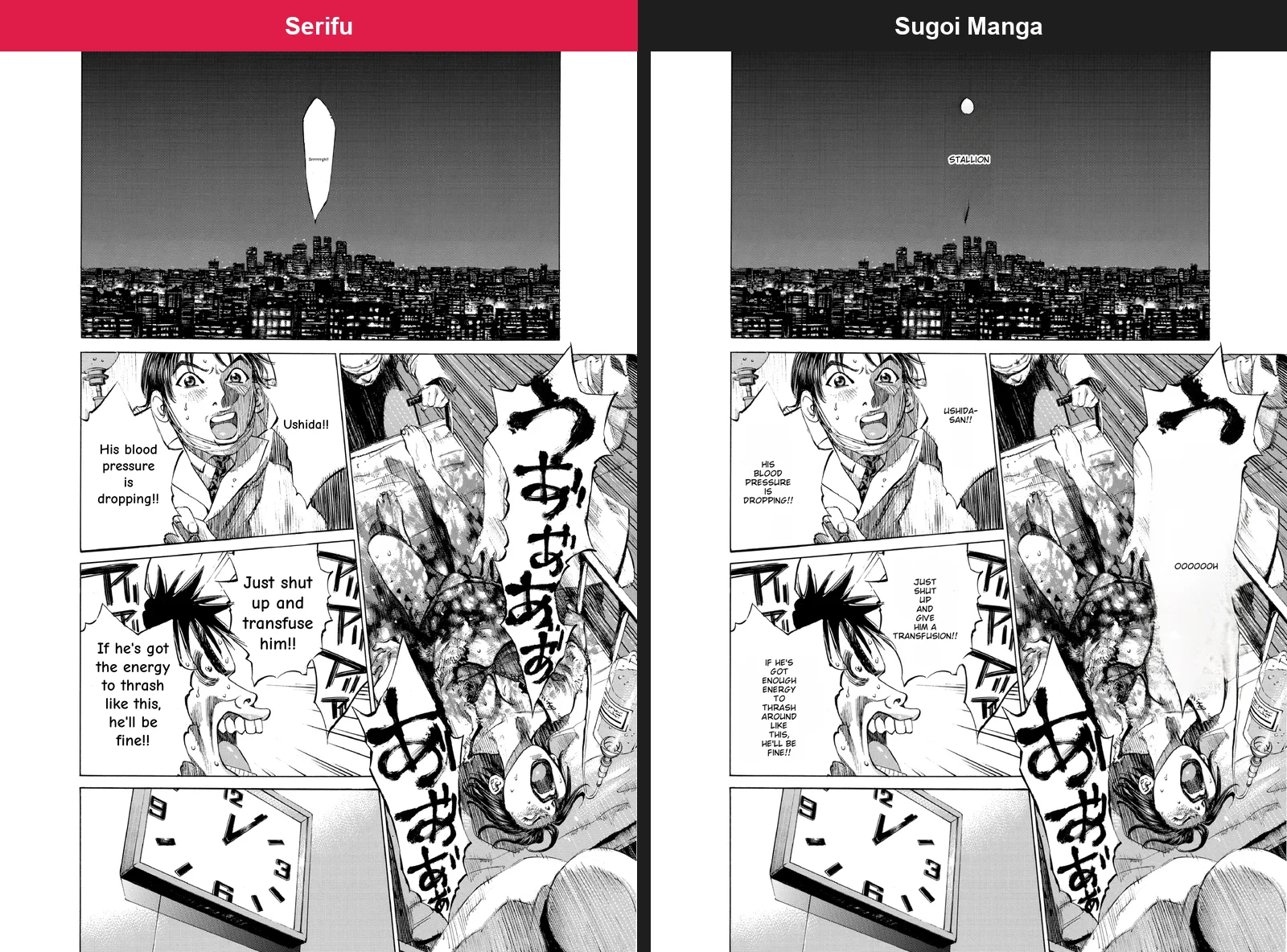
| Captions on a screened sky (p. 7) | Right; the Japanese cleaned off the art and the English set in its place | Right; set over the Japanese unless the page is retouched (Retouch this page, 2 credits a block) |
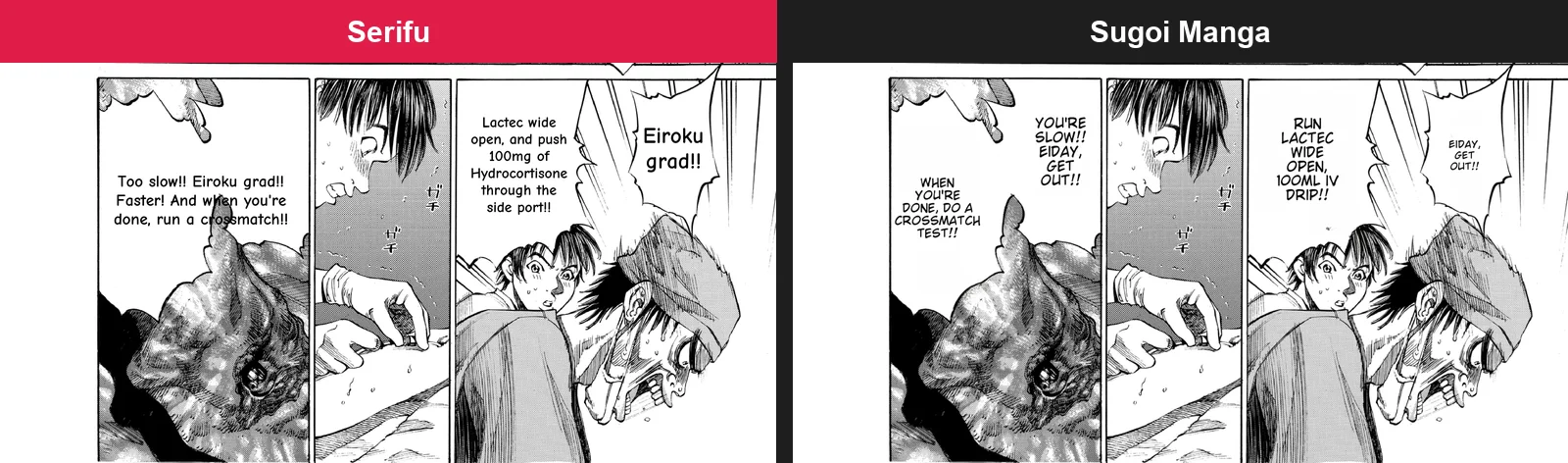
| A medical page (p. 17) | Mostly right; "1000 mg of hydrocortisone" became "100ML IV DRIP", and 永大出 ("an Eidai grad", a jibe) became "EIDAY, GET OUT!!" | The jibe right ("Eiroku grad"); the dose read as 100 too, in an earlier version (26 September) |
| A patient who is a woman (p. 19, after p. 17's man) | "His blood pressure", "give him a transfusion", "he'll be fine"; a phone's ring as "STALLION" | "Her" with gemini-3.8-flash; "his" with gpt-6-luna, the default (30 September) |
| A banner drawn on the art (p. 146) | Half erased, half left in Japanese; 永禄 as "Perpetual University"; the 91st reunion lost | Left in Japanese by default; retouched, set in English, 永禄 read as "Eiei" until one glossary line gave "Eiroku" (6 October) |
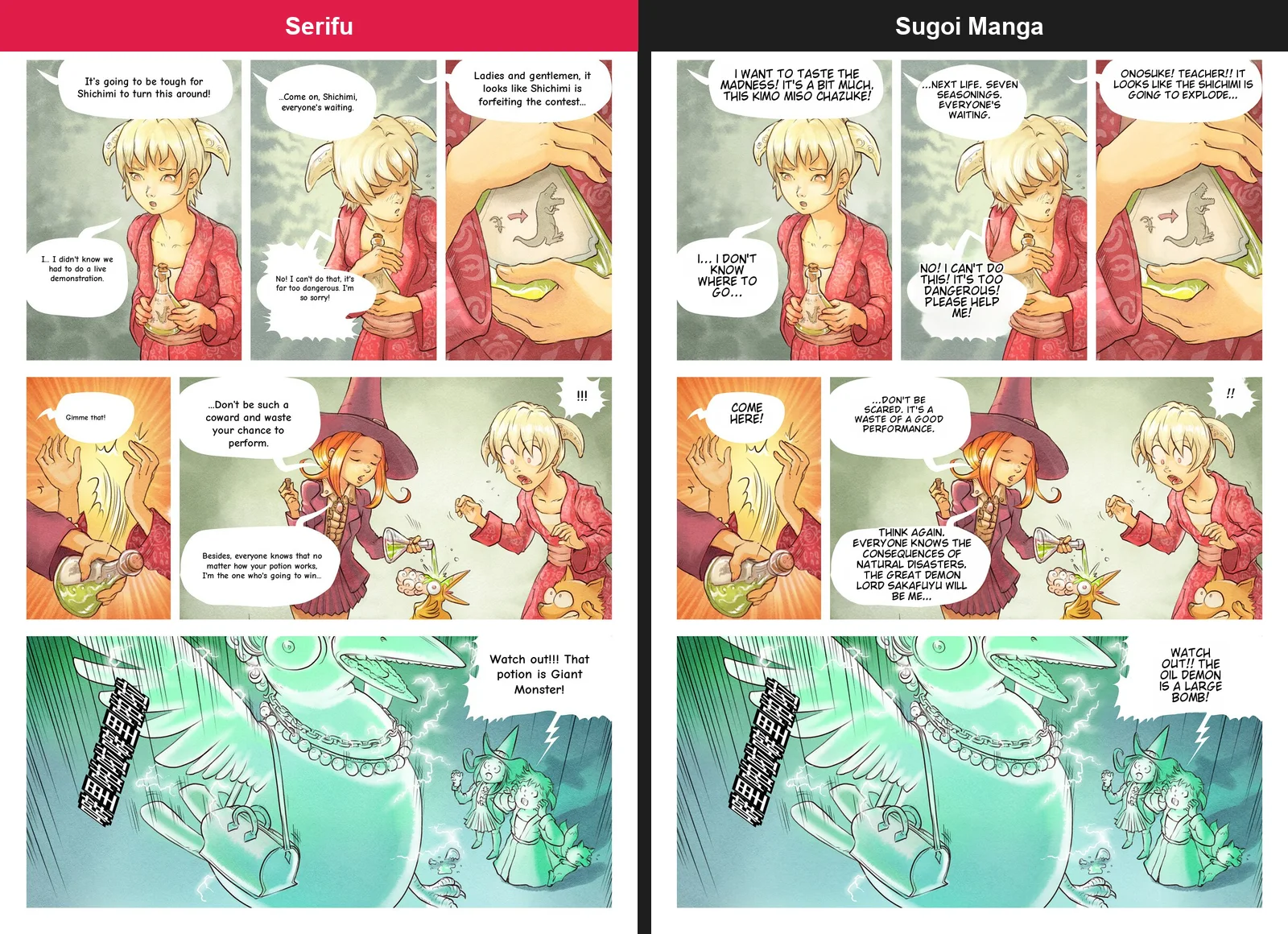
| Chinese: Pepper&Carrot p. 6 | Most lines invented: "it will be hard for Shichimi to turn this around" became "I want to taste the madness! It's a bit much, this Kimo Miso Chazuke!", "the winner will be me" became "the great demon lord Sakafuyu will be me" | Close to the official English, every line; one stiff ("That potion is Giant Monster!") (28 September) |
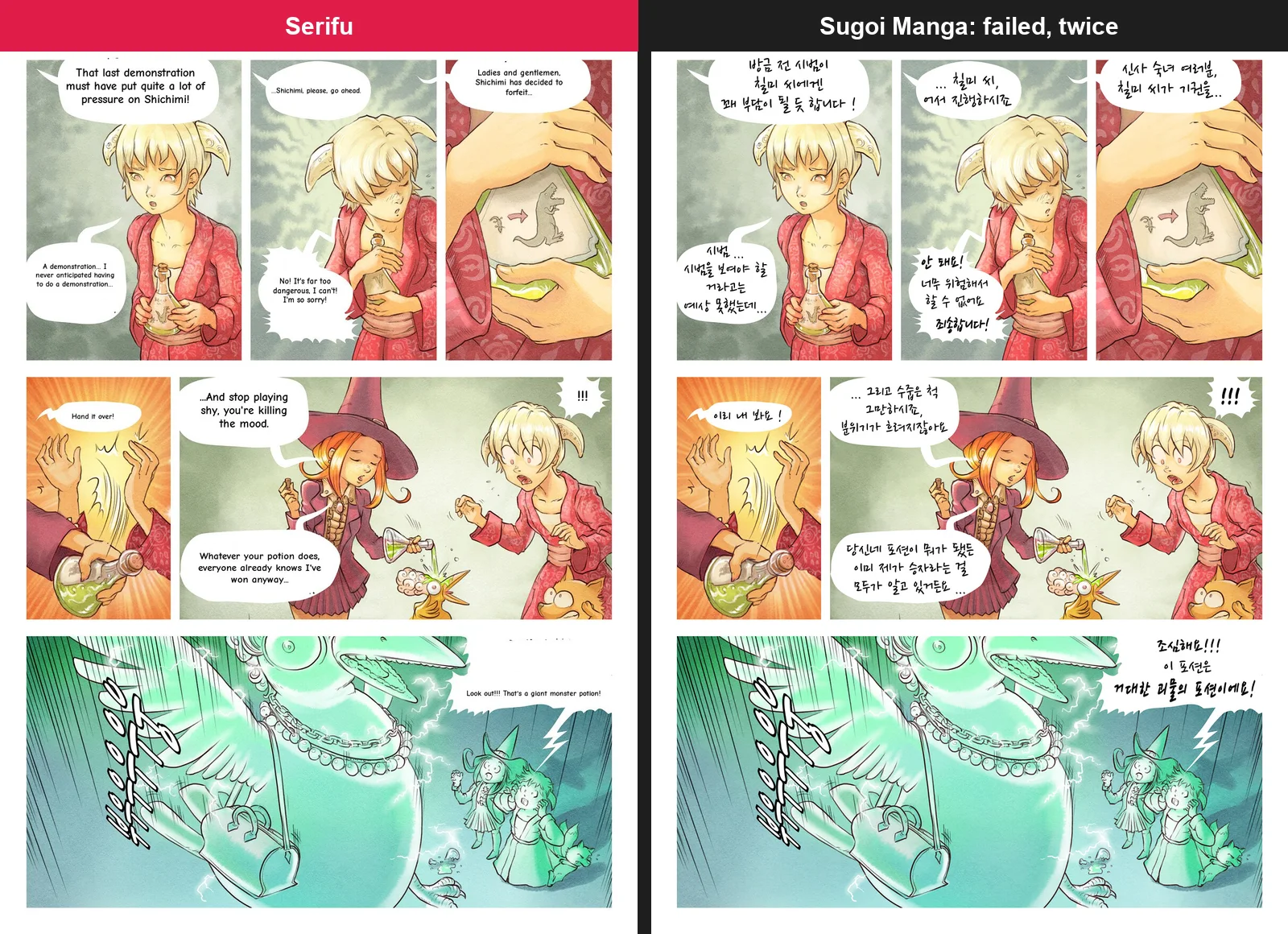
| Korean: Pepper&Carrot p. 6 | Failed, twice | Close to the official English, every line (28 September) |
| Korean: a webtoon slice | Marked translated after 30 s, nothing translated; the image came back blurred | Every caption and balloon translated, the strip cut into pages (4 October) |
Each picture is the same part of the same page from both sides, unedited. Serifu's are from its earlier runs, as they came out (some in the lettering of that day).
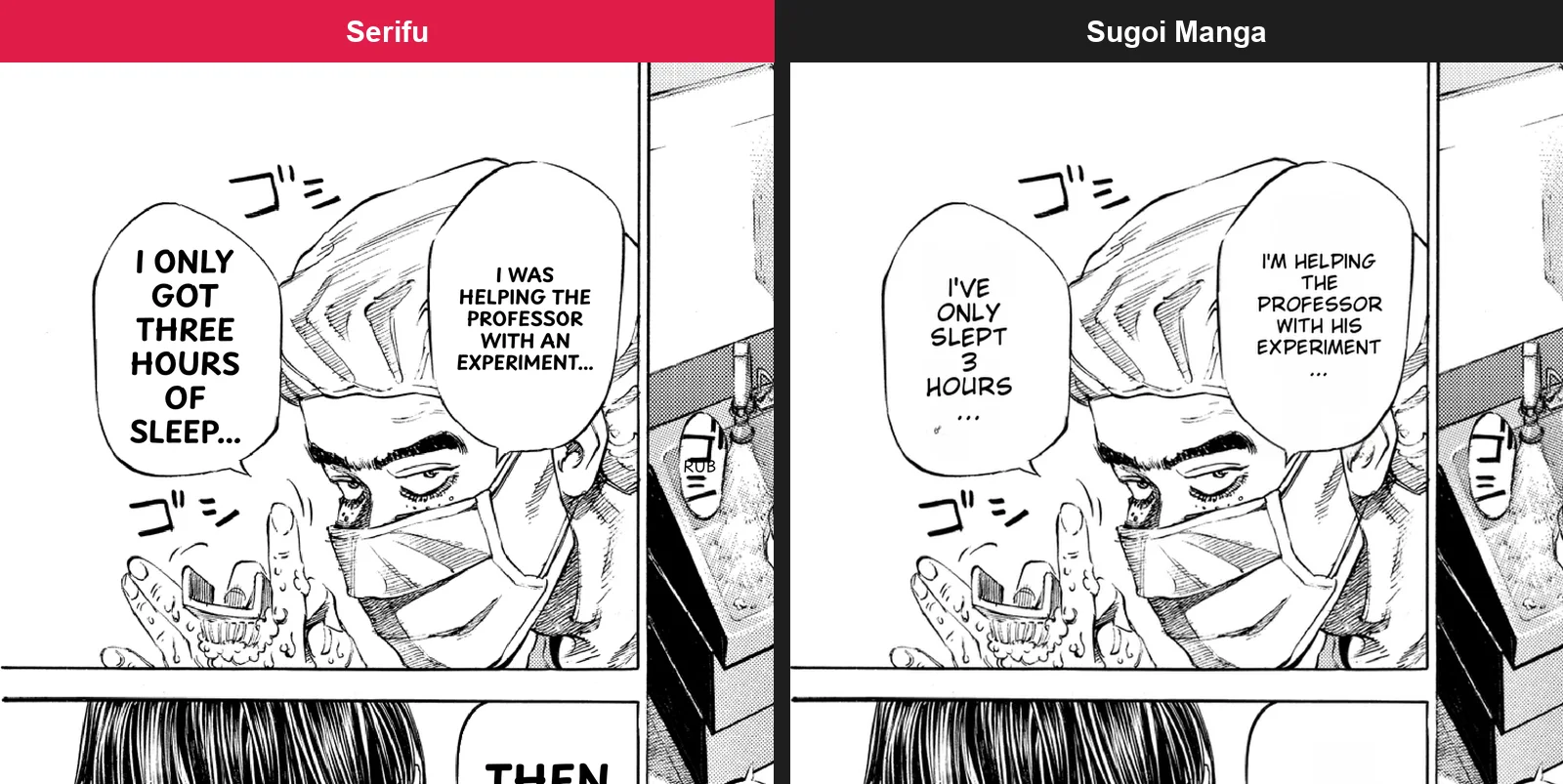
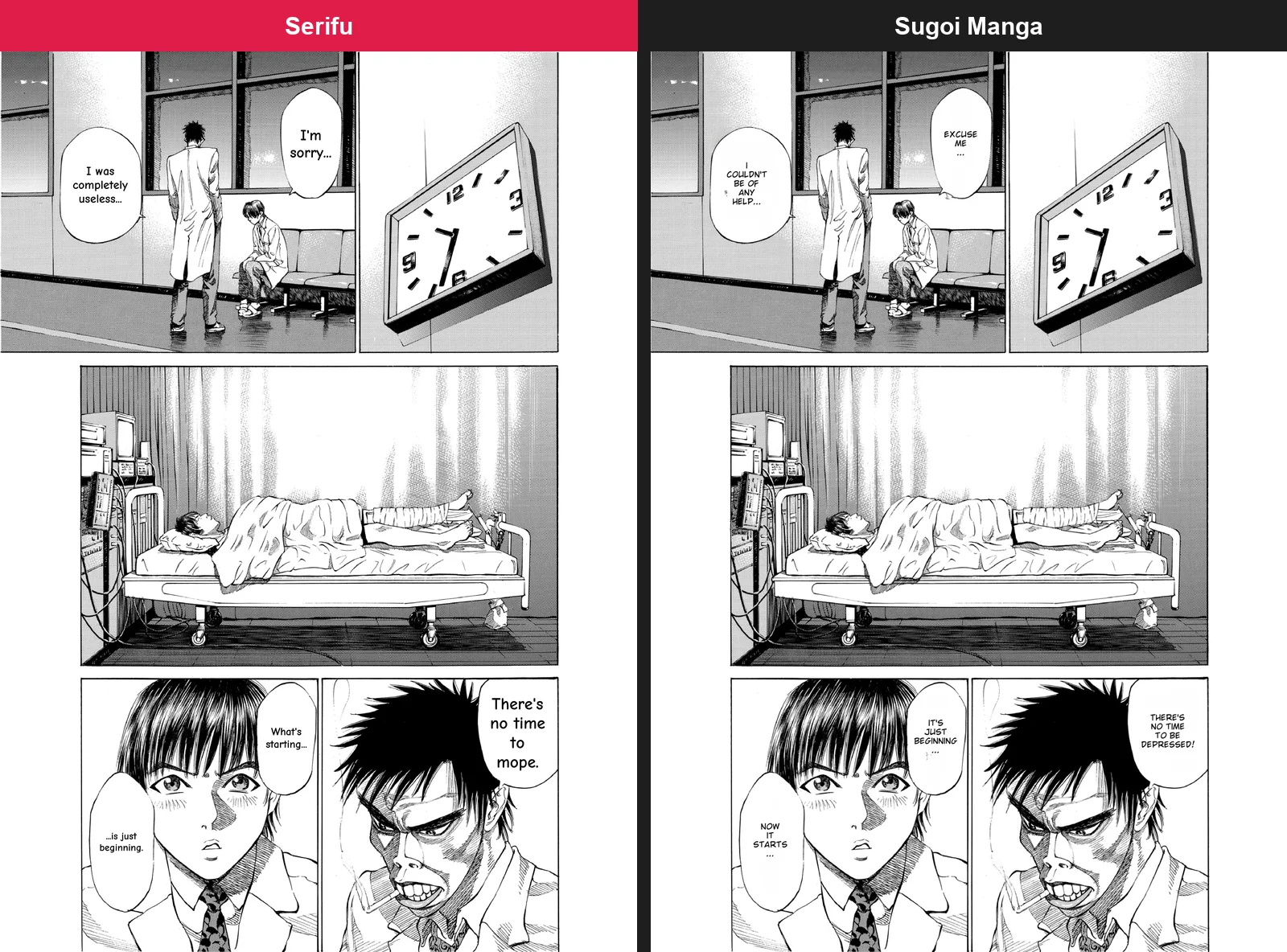
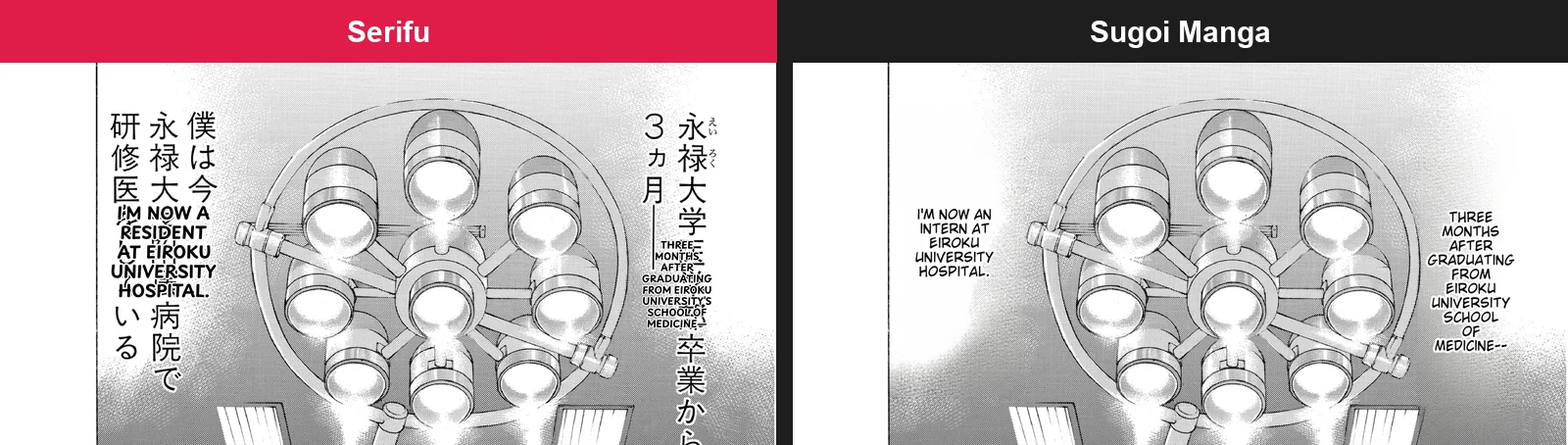

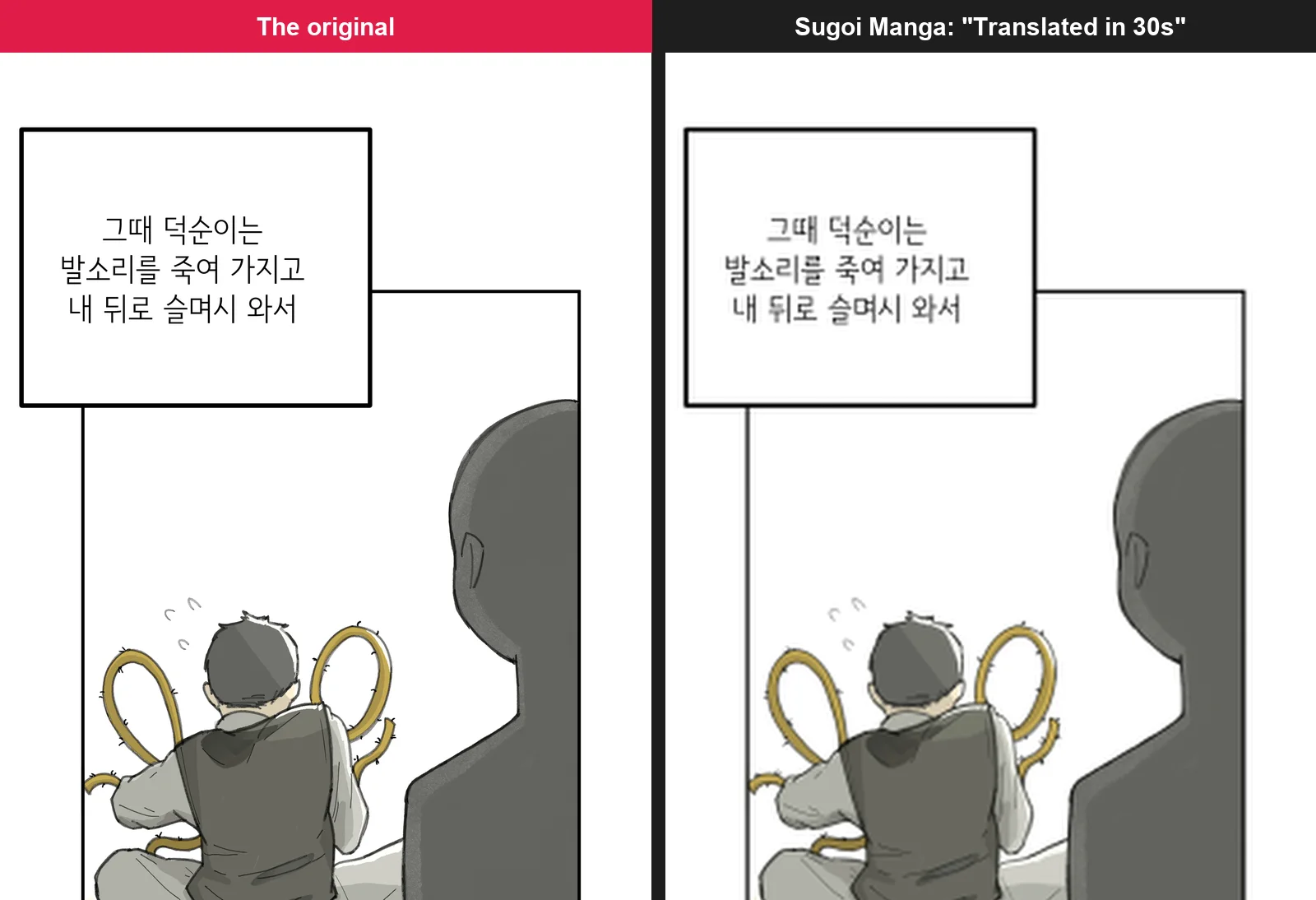
So on Japanese dialogue Sugoi Manga is good, and on captions drawn over a screened background it does something Serifu leaves to a retouch. Two pages caught both: the hydrocortisone dose, and the woman on p. 19, whom Serifu's default model, gpt-6-luna, also called "he". The gap is in the other languages: on Chinese, Sugoi Manga wrote lines the page does not say, and on Korean it gave nothing back. Its own notes list OCR for Japanese, Chinese and English.
When a browser manga translator fits better
Sugoi's strength is breadth: games, visual novels, novels, websites and manga under one account, with an offline path for each. If you read Japanese games and manga that way, it is a natural choice.
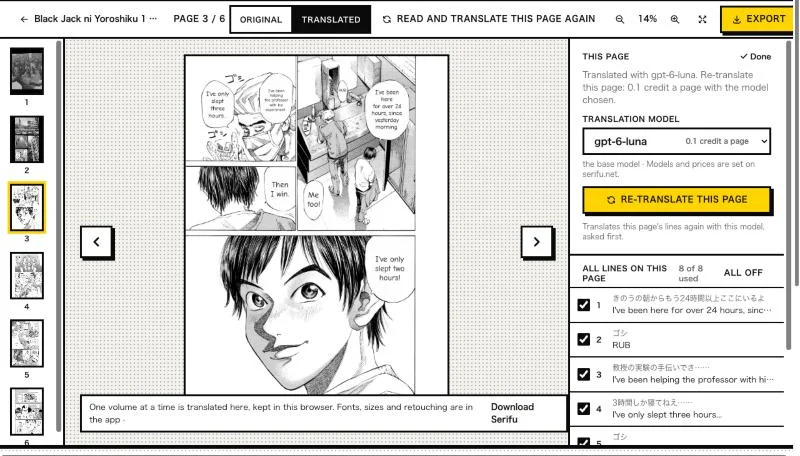
If you read manga from files, a volume or a chapter at a time, Serifu is built for that one job. Drop a folder, CBZ, ZIP or PDF on serifu.net, or a webtoon's images (see Webtoon translator): each page is read with the two pages before it, so names and speakers carry over, and the translation comes back lettered inside its own bubbles. You can change any line and the page is lettered again, then export the volume as CBZ, PDF or images. See Translate in your browser.
| Sugoi (Sugoi Toolkit, Sugoi Manga) | Serifu | |
|---|---|---|
| What it translates | Games, visual novels, novels, websites, and manga, manhua, manhwa and comics | Manga, manhwa, manhua and comics, and webtoons: a strip or its slices is joined and cut into pages at the gaps between panels |
| How you give it pages | Pages, a ZIP or a CBZ dropped on sugoimanga.com; the images on manga sites, with the extension | A folder, CBZ, ZIP or PDF, or the images, in the browser or the app |
| Reading on manga sites | Yes, with the Chrome and Firefox extensions | No: you drop the files you have |
| Offline | Yes, with Sugoi Toolkit | No: pages are read and translated on Serifu's servers |
| Reads | Japanese, Chinese and English, in its OCR notes (V25); Korean failed in our test | Japanese (vertical too), Korean, Chinese (simplified and traditional) and English |
| Translates into | Its own models: Japanese to English; Sugoi Manga's pages name no list | English, Chinese (simplified and traditional), Japanese, Korean, Spanish, Portuguese, French, Italian, German and Indonesian |
| What the translator gets | Not said on Sugoi Manga's pages | The whole page, with the two pages before it, plus your story, characters and glossary |
| Changing the result | Not said on Sugoi Manga's pages; Sugoi Desktop V3 improved its manga typesetting | Change any line in the browser, lettered again; in the app, its font, size, spacing, direction and outline, Box, read and translate, Retouch this page |
| What you take away | Translated images, downloaded from the extension's read mode | CBZ, PDF or images; a webtoon also as one long image or its slices; layered PSD in the app |
| Paying | A Patreon membership, with coins for Sugoi Manga | 1 credit a page, packs from $5.99 for 100 pages that never expire; 5 free pages when you sign up |
For more than the browser gives, there is the Serifu app for macOS and Windows.
FAQ
Is Sugoi Translator free?
The newest Sugoi Toolkit downloads and the coins for Sugoi Manga come with a Patreon membership. The blog also announces a public download link for each Toolkit version some weeks after members get it.
Does Sugoi Translator work offline?
Yes. That is its origin: Sugoi Toolkit runs the translator and the OCR on your own computer, and the manga extension can send its work there instead of to Sugoi's servers.
Can Sugoi Manga translate Korean manhwa or webtoons?
Not in our test: a Korean comic page failed twice, and a Korean webtoon slice came back untranslated. Its notes list OCR for Japanese, Chinese and English. For Korean, see Serifu's manhwa translator and webtoon translator.
Can Sugoi translate manga into languages other than English?
Its models are described as Japanese to English. The model page notes that another target language can be asked for in the prompt, with results that may vary.