Projects and editions
The project page of a volume, its progress and filters, the pages to retouch, Translate in order, and editions, one volume translated into several languages.
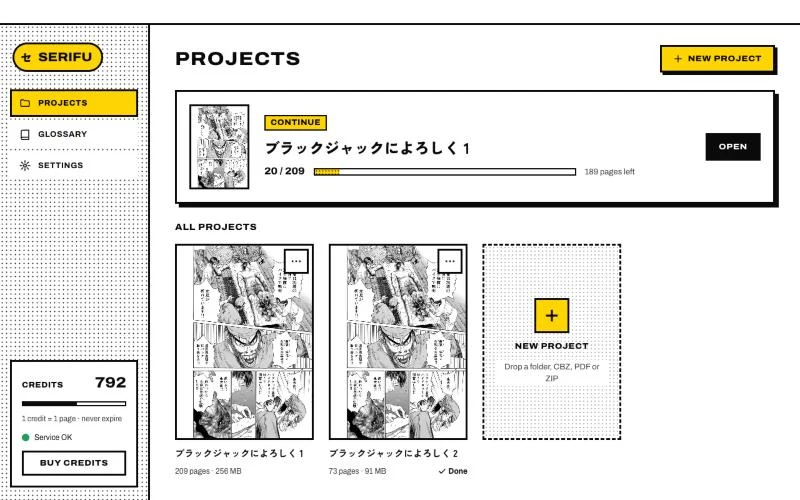
In the app, each volume is a project. Projects lists them with their covers and progress: Continue opens the last one, and a card's menu renames it, shows it in the Finder or Explorer, or deletes it (from this computer only; the files you imported are not touched).
The project page
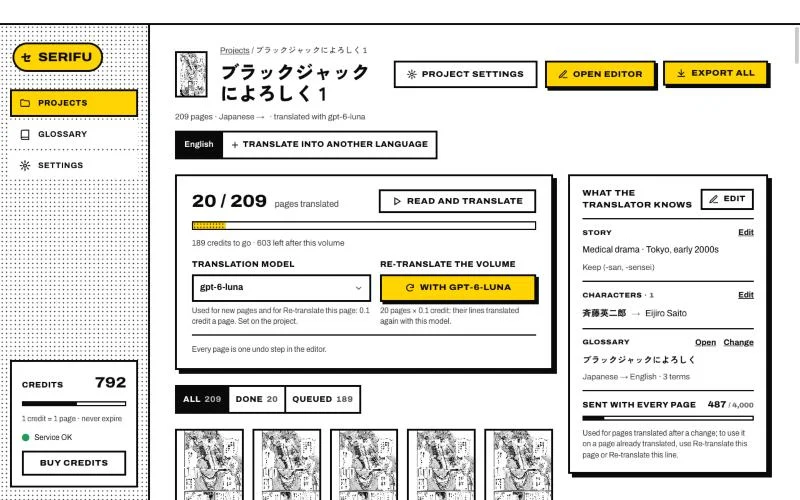
The project page shows the volume's pages, its progress and its translation.
- Read and translate starts the pages not translated yet; Pause and Resume stop and carry on a run.
- Show filters the pages by their state: done, to retouch, translating, queued, failed, skipped, over the allowance, no text. Each page's tile carries its state too.
- Click a page to open it in the editor.
To retouch
Text drawn straight on the art (a caption over a background, a sign) is not erased automatically: the translation is lettered over it. Those pages and lines are marked To retouch, on the project page, in the page strip and in the editor's line list. A mark goes away once its block is retouched. Nothing is retouched unless you choose it: see Retouch this page.
The translation model
The Translation card shows the project's model, which new pages use. To try another one on pages already translated, choose it and click Re-translate the volume: every line is translated again, the ones you edited too, at the model's price a page, shown before you confirm. Each page translated again is one undo step in the editor.
Translate in order
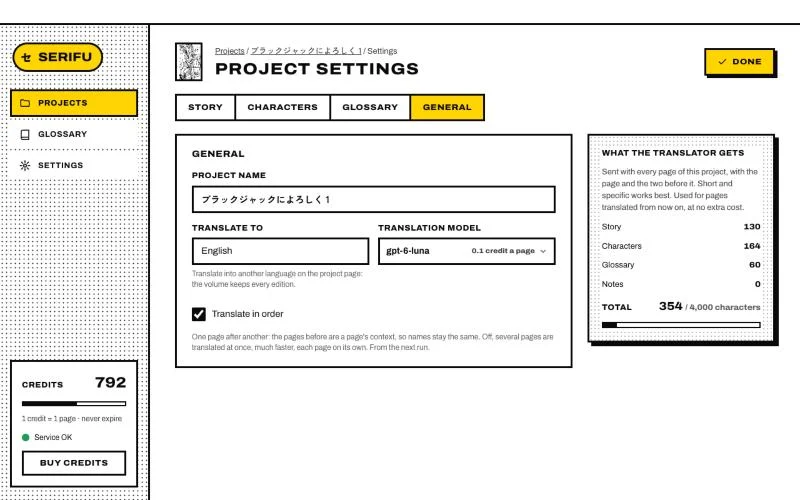
On by default, in Project settings › General and when you make a project. Pages are translated one after another, each with the two pages before it as context, so speakers and names stay the same across the volume. Off, several pages are translated at once: much faster, each page on its own. It applies from the next run.
Editions: one volume, several languages
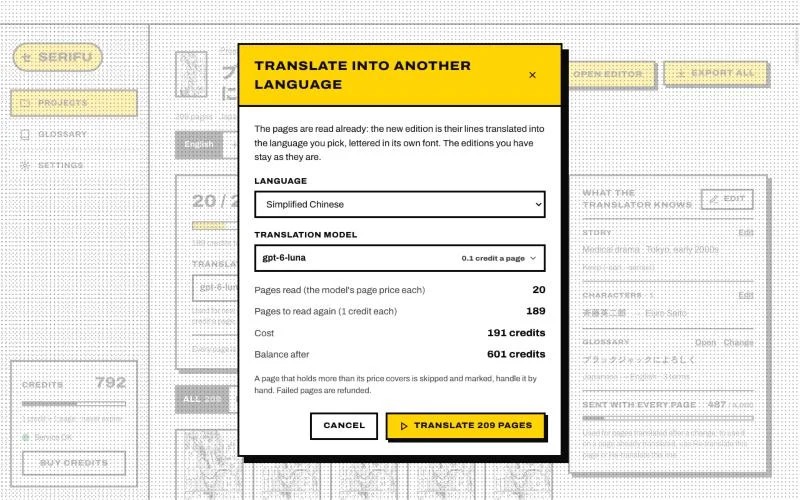
An edition is the volume translated into one language, with its own translations, lettering, fonts and progress. A project starts with one; Translate into another language makes another. Pick the language and the model: the pages are read already, so only the translation runs, at the model's price a page. Serifu says the total before it starts.
Switch editions at the top of the project page or the editor. What belongs to the pages is shared by every edition: their order, what Serifu read on them, your masks and the clean art of a retouch, so nothing is read or retouched twice. Exports are of one edition at a time.