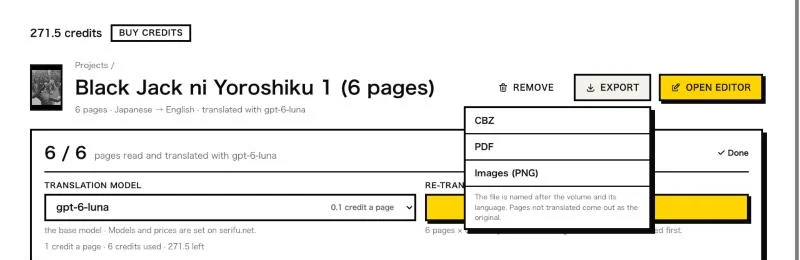
Export
Save a translated volume as images, CBZ, PDF or layered PSD from the app, or as CBZ, PDF or images from the browser.
From the app
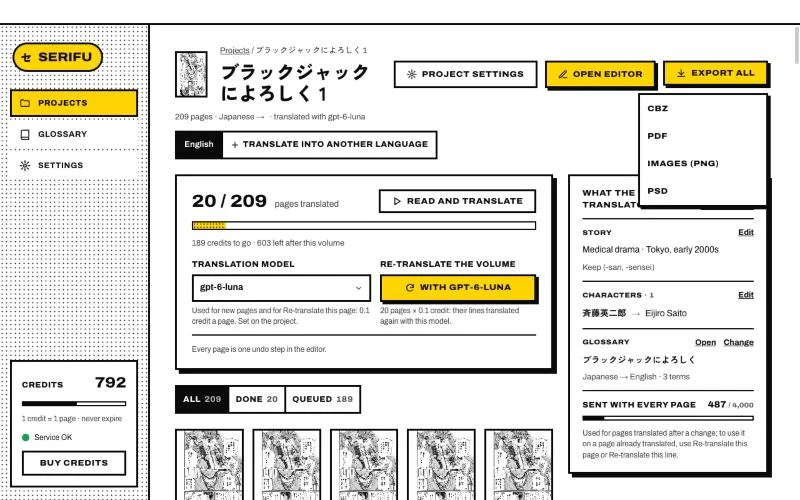
Export all on the project page saves the edition you are looking at:
- Images (PNG): one image per page, the translation lettered in. Good for sharing a few pages.
- CBZ: one file for reader apps.
- PDF: one file to read anywhere.
- PSD: one layered file per page, the clean art and each line as a live text layer, to keep typesetting in your own tools.
- For a webtoon, also One long image (the pages put back as one PNG) and As the slices it came in (the images with the names and sizes they came in with).
In the editor, Export saves just the page you are on as PNG, PSD or PDF. Your imported files are never changed. Show in Finder (or Explorer) opens the result.
From the browser
Export in Translate in your browser saves the volume as CBZ, PDF or Images (PNG), a webtoon also as One long image or As the slices it came in, or just the page you are on as PNG or PDF. The file is named after the volume and its language; pages not translated come out as the original. It goes to your downloads.