Troubleshooting
Fixes for signing in, failed or skipped pages, a stopped run, the service light, and the browser translator.
The service light
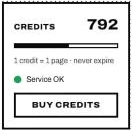
The light under your balance in the app says how the translation service is: green, all well; yellow, busy, so pages wait and go on by themselves; red, unavailable, and nothing is charged. If the app can't reach serifu.net, check your connection.
The browser did not open when signing in
Click Browser didn't open? Copy the link in the app and open it in your browser yourself. If the code expired, sign in again for a new one.
A page failed
Failed pages are refunded. Open the page: the editor says what happened and what to do. Try it again with Read and translate this page again. If it keeps failing, contact us with the page number.
"Over the allowance, handle by hand"
The page holds far more text than a page usually does, so the run skipped it. Open it and use Read and translate this page again: Serifu says its price first, and nothing is charged until you agree.
"This page needs N credits"
The page, line or box holds more than its price covers, usually because of long notes or a long glossary sent with it. Nothing has been charged: confirm to go on, or shorten the notes.
"Nothing was read in the box"
Draw the box a little larger than the text and try again; delete the empty line from the list.
Translation is slow
Each page is read and translated by large models, which takes 30–60 seconds a page. With Translate in order on, pages are translated one after another; turn it off in Project settings › General for a much faster run. A slow or unstable connection slows it further: lower Requests at once in Settings › Translation.
In the browser
- "This browser can't show translated pages": it has no WebGPU. Use Chrome or Edge, Safari on a recent Mac, iPhone or iPad, or the app.
- The run stopped: open the volume from Projects and click Resume.
- "This browser has no more room": export the pages done, delete a volume you have exported, then Resume.
- The first Apply takes a while: the browser is downloading the lettering files, once.
Still stuck?
Contact us with your app version from Settings › Updates.