FAQ
Common questions about Serifu, the browser translator and the app.
Should I use the browser or the app?
The browser to translate a volume and read it, with nothing to install. The app to change the lettering, retouch text drawn on the art, keep names consistent with a glossary and characters, translate one volume into several languages, or export layered PSD. See What is Serifu?
| Original | Translated by Serifu |
|---|---|
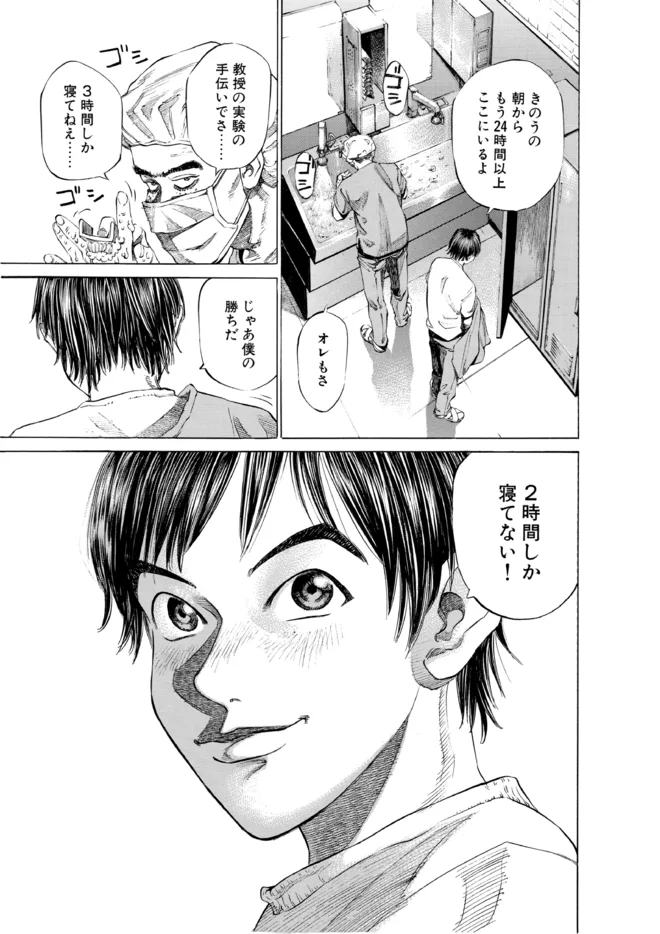 | 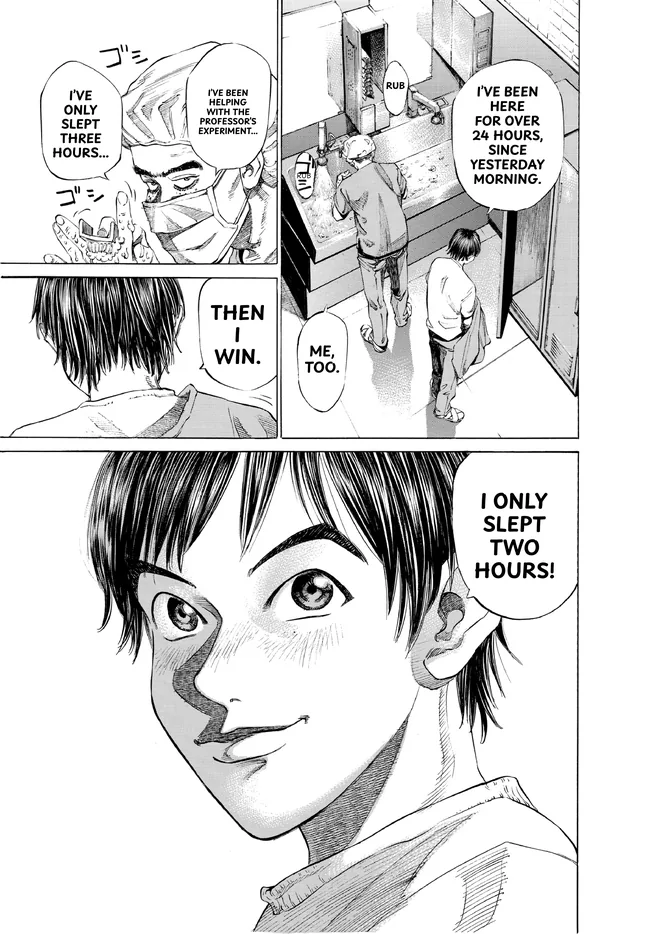 |
Do I need a graphics card?
No. The reading and translating run on Serifu's servers. The browser needs WebGPU to letter the pages, which Chrome, Edge and recent Safari have.
Which files can I use?
A folder of images (PNG, JPEG, WebP), CBZ, ZIP or PDF; the app also opens RAR.
Which languages?
Serifu reads Japanese, Korean, Simplified Chinese, Traditional Chinese and English, and translates into English, Simplified Chinese, Traditional Chinese, Japanese, Korean, Spanish (Latin America), Portuguese (Brazil), French, Italian, German or Indonesian: any of them but the volume's own language. In the app, one volume can be translated into several languages: see Projects and editions.
The app itself is in the same languages: it follows your computer's language, or pick one in Settings › Interface.
Does it do manhwa and webtoons?
Yes. Manhwa and manhua that come as pages are translated like any volume. For a webtoon (one tall image a chapter, or the slices a site cut it into), choose Webtoon when you add it: Serifu cuts the strip into pages at the blank space between panels, read top to bottom, 1 credit a page, and exports it back as One long image or As the slices it came in. See the webtoon translator.
How do I keep names the same?
In the app, add the characters to the project's settings and the recurring names and terms to a glossary. Both go with every page. See Story and characters and Glossary.
Are sound effects translated?
Sound effects on a plain background are cleaned and translated. Those drawn over screentone or art are lettered over until you retouch them. To leave every sound effect as drawn, turn on Leave sound effects untouched in the app's Settings › Translation.
What happens to my pages?
A page is sent to Serifu's servers only while it is read and translated, and is not stored there. The app keeps your projects on your computer; the browser keeps your volumes in that browser until you delete them.
What if I close the tab halfway?
Open the volume again from Projects on serifu.net and click Resume. Pages not run were not charged.
What if a page is refused?
Serifu checks pages against the Acceptable Use Policy. A refused page is skipped and marked; the rest of the volume goes on.
Can I translate manga I don't own?
No. Serifu is for books you have bought or have the rights to translate. See the Terms.
Is Serifu related to Koharu?
Serifu is built on Koharu's open-source code (MIT / Apache-2.0) and credits it on the Licenses page. We are not affiliated with its authors.